
How to Use AI to Make a Game: From Forge Plan to Playable Build
Use AI to make a browser game: start with Forge’s Build a Game tool, copy prompts with free asset links, then build, debug and publish using visual steps.
Copy the complete build brief, complete original source, free asset options and licence facts. Or review and select the prompt.
Learn how to use AI to make a game for beginners: start with Forge’s Build a Game tool, copy a game-development prompt with free asset links, then build, debug and publish a small HTML/JavaScript browser game.
See the source and assets included
Source and assets for this guide
How to Use AI to Make a Game: From Forge Plan to Playable Build
Download complete Coin Dash1.0 source · MIT licence · Play Coin Dash
Original shapes and geometry are drawn in render.mjs or game.js. No external sprite/model/audio pack is needed for this baseline.
Every source file and how to run it
Extract all five files and open index.html; this reference uses a classic script.
- howler.js · by GoldFire Studios / James Simpson
Optional JavaScript audio playback when adding sound. Included in build prompt. Included as a free optional ingredient. The source ZIP includes its required art. Extra catalogue ingredients are optional; the native project needs its chosen engine.
Original creator download ↗ · MIT - nippleJS · browser touch controls · by Yoann Moinet
Optional browser joystick; keep the working pointer buttons first. Included in build prompt. Included as a free optional ingredient. The source ZIP includes its required art. Extra catalogue ingredients are optional; the native project needs its chosen engine.
Original creator download ↗ · MIT - UI Pack · by Kenney
Optional menus and controls artwork. Included in build prompt. Included as a free optional ingredient. The source ZIP includes its required art. Extra catalogue ingredients are optional; the native project needs its chosen engine.
Original creator download ↗ · CC0-1.0 - Input Prompts · by Kenney
Optional keyboard/controller control legends. Included in build prompt. Included as a free optional ingredient. The source ZIP includes its required art. Extra catalogue ingredients are optional; the native project needs its chosen engine.
Original creator download ↗ · CC0-1.0 - Interface Sounds · by Kenney
Optional interface sound files, separate from the playback library. Included in build prompt. Included as a free optional ingredient. The source ZIP includes its required art. Extra catalogue ingredients are optional; the native project needs its chosen engine.
Original creator download ↗ · CC0-1.0
The copied prompt includes the exact source-file links, selected/deferred ingredient roles, creator facts and separate licence/redistribution conditions.
What you will learn and need
Beginner: choose a useful game plan, use a coding AI to implement one small loop, run complete files, debug and publish. Basic file/folder use is enough to start; ask your AI to explain unfamiliar code.
Use a current browser with Canvas, Pointer Events and ES modules for Genre Lab. Its local helper/checks used Node24.19.0. Keep a baseline folder and only share permitted project context. Free code/art choices cover the first milestone; no purchase is required. Forge prepares a plan and copyable brief; it does not automatically execute your chosen AI or guarantee its generated output.
Build with written and visual steps
Write one game loop your AI can actually finish
To use AI to make a game, give it a small observable goal rather than a list of every feature in your favourite game. For this walkthrough: move around one screen, collect six coins, avoid one patrol, win before a thirty-second timer or lose on contact, then restart. Canvas in the browser keeps the reference small. If you already have a project, preserve its engine and working systems.
No coding AI subscription, external model API or automatic generator is built into this guide. Forge helps you choose resources and prepare a brief; you take that reviewed prompt to your chosen coding assistant. Its output still needs to be run and checked.
Open Forge’s Build a Game tool
Open Build a Game, choose the game genre and dimensions, then answer only the follow-up choices that match your loop. For Coin Dash choose Puzzle →2D →Collecting →Stylised. The direct preset below adds Other/custom browser runtime, Browser, Top-down, Solo and Free only. Keep these choices accurate: a game with collection mechanics does not need every genre tag.
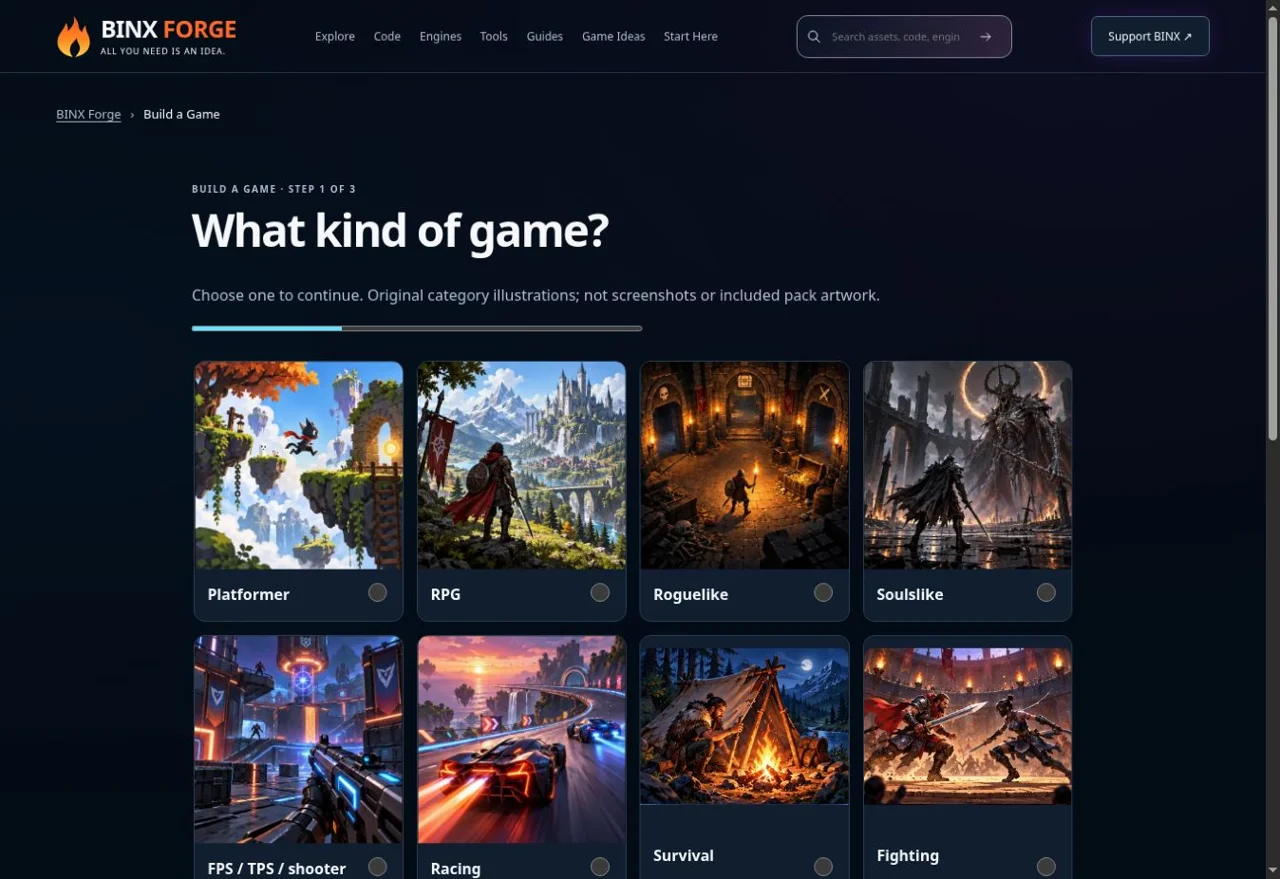
Start in the real Build a Game tool; choose a manageable genre. · genuine existing Forge capture, 10 October 2026 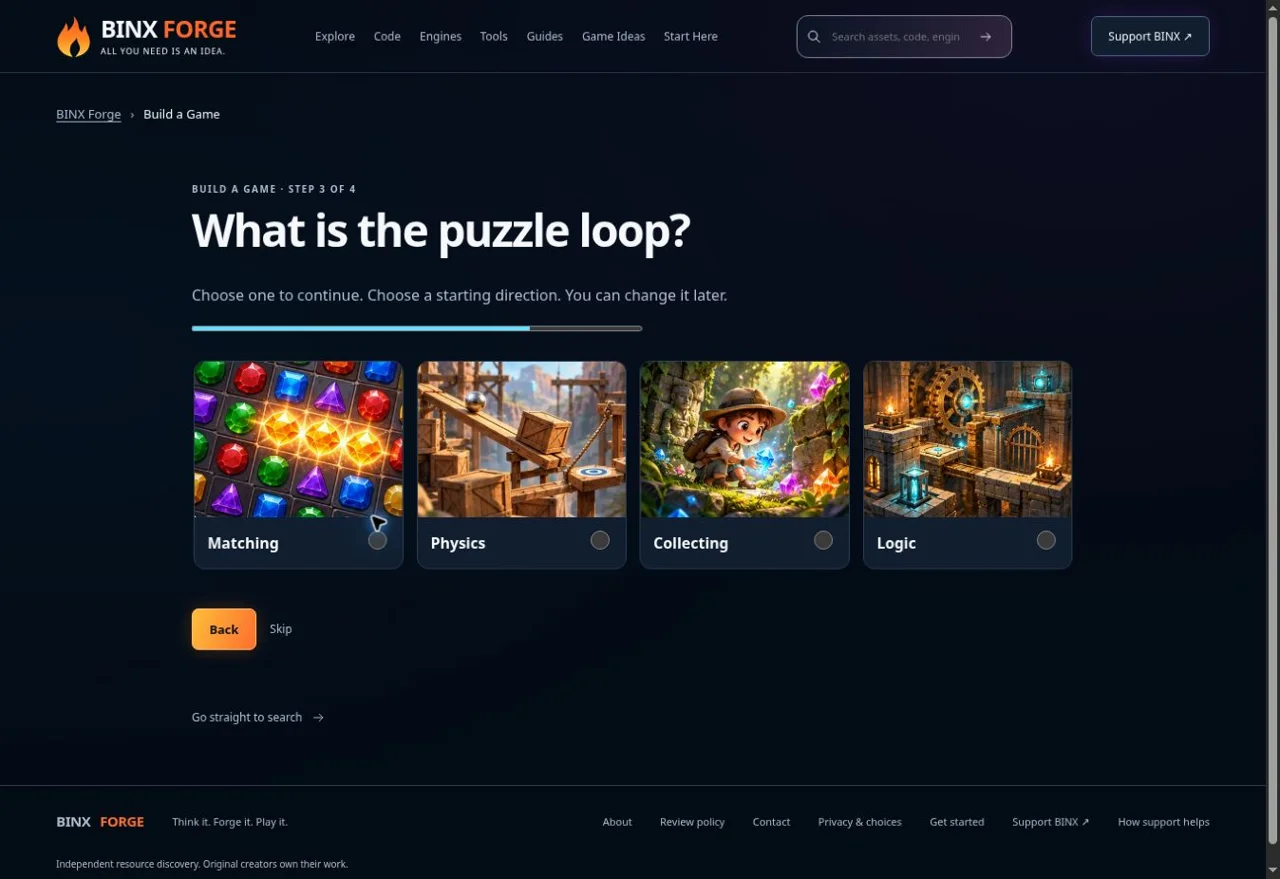
Choose Collecting for this browser milestone. This is a genuine screenshot of that exact tool step. · genuine existing Forge capture, 10 October 2026 Review the build brief and source-reviewed resources
Open the resulting Forge build plan. Check the target, camera, first loop and £0/free resource choices. Resource cards describe the original creators’ files and terms; a visual pack does not implement collision, enemy AI or saving. Review the AI prompt before copying, and keep any project context you add within what you are permitted to share.
Use Copy AI Prompt when available, or select and copy the read-only prompt manually. Paste it into your coding AI and add the build prompt below. Ask it to inspect an existing project first or create one small fresh milestone. Do not share credentials, bought files or private source unless sharing is permitted.
Ask for complete files and exact run instructions
Request index.html, game.css and game.js with every changed file complete, exact paths, no omitted functions and one clear launch instruction. Ask the AI to state what it has actually inspected and tested. If it cannot open Forge, supply the public prompt/source facts directly and continue; a broken browse capability does not justify inventing file contents.
Compare the output with the complete Coin Dash browser tutorial. Its original1.0 ZIP needs no package install and uses a classic script; unlike the Genre Lab ES modules, it can be opened directly from its extracted HTML. A generated version using modules needs a local HTTP server instead. Follow the actual file type rather than giving everyone the same launch advice.
Run a baseline and use the real reference screenshot
Keep a copy of the complete first folder. Start, focus the canvas, move in every direction, pick up a coin once, touch the patrol, win by collecting all coins, lose on timeout and restart twice. Check a diagonal, boundary and releasing a held control. On the reference, follow the outer rows to avoid the centre patrol.
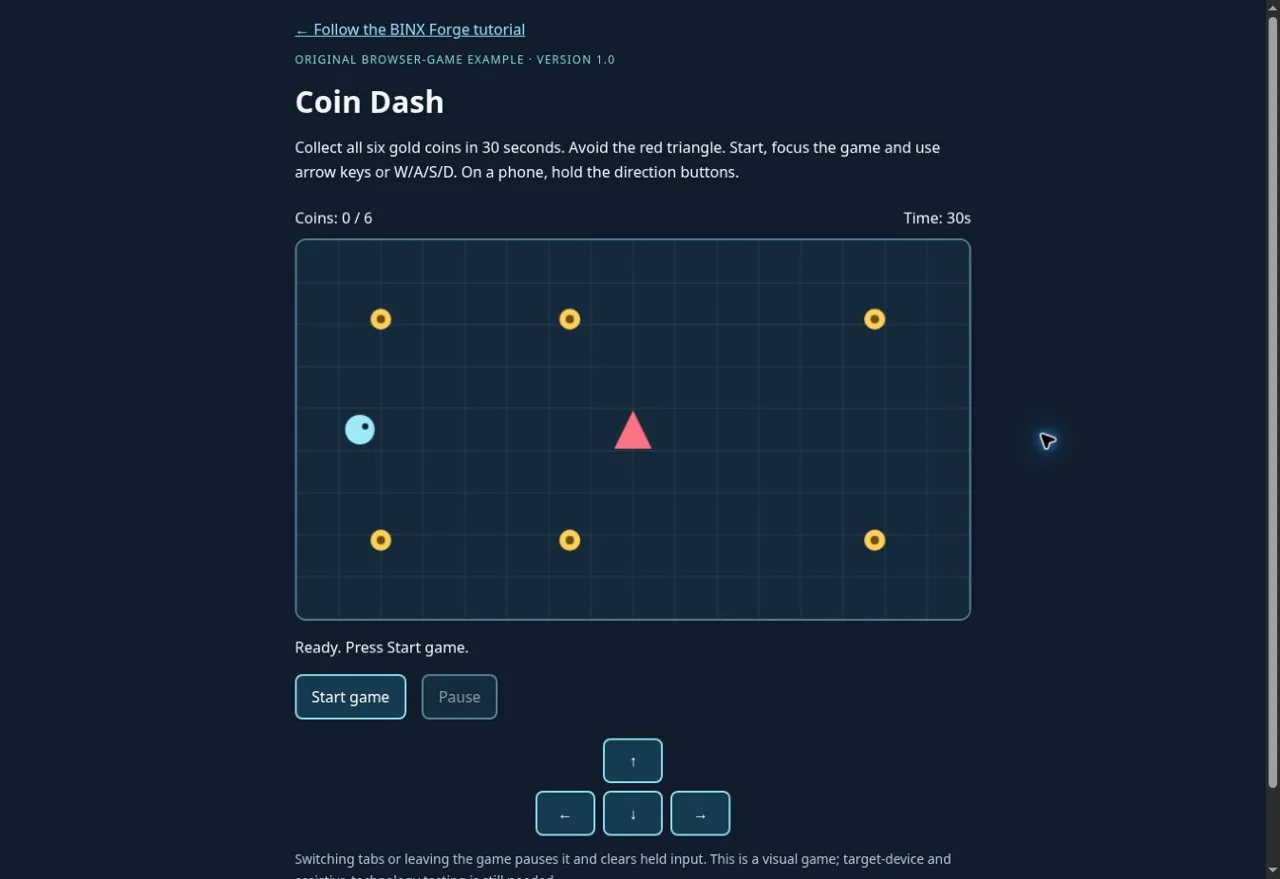
Real published Coin Dash1.0 browser reference. It is not evidence that your AI-produced version passed. · genuine existing Forge capture, 10 October 2026 Debug the first reproducible fault
If the page is blank or Start stays disabled, open browser developer tools and capture the first full error and failed file request. Provide the target browser, exact URL/command, reproduction steps, expected result and relevant permitted source. Ask for the smallest patch and a regression check; keep working input, score, outcomes and restart.
Avoid asking the AI to rewrite everything because one button fails. A screenshot helps explain a visible issue, but source and reproduction are needed to diagnose it. If the AI says it tested something, ask which exact command, build and result support that claim. Unrun recommendations remain recommendations.
Make one improvement and compare before/after
Change one system: clearer controls, a new coin layout or more consistent elapsed-time movement. Use the real Coin Dash timing comparison for the latter. Keep the original version and compare the same inputs/route. A smoother preview is not proof of a percentage speed or FPS increase.
For sound, try the existing one-button audio example before integrating separately licensed files. For touch, keep tested buttons first and consider nippleJS only when a joystick improves the design. Add one compatible free resource and retain its notice; a paid plan needs a concrete missing capability before spending.
Publish the actual files and test the actual URL
Choose your existing static host and publish the same complete files. Keep exact filename case and relative paths, check the HTTPS deployment and repeat the player journey there. If using GitHub Pages, follow its current original documentation and verify the publishing root. A locally working build is not evidence that a separate host is configured correctly.
Guest reading/building/copying needs no account. Production My Forge saving is currently unavailable; keep your prompt and source on your device. Forge does not run or view your separate AI session automatically. Review licence notices and test keyboard/touch, tab pause, win/loss and two restarts before sharing your version.
Take one useful milestone to your AI
Build prompt
Review complete prompt
Debug prompt
Review or select the text to copy.
Review complete prompt
Upgrade prompt
Review or select the text to copy.
Review complete prompt
Quick milestone prompt
Review or select the text to copy.
Review complete prompt
Game-development questions this guide answers
Can a beginner use AI to make a browser game?
Yes: start with movement, one interaction, a clear goal and restart. Forge prepares the plan, resource facts and prompt; your chosen coding AI supplies the implementation. Run the complete files and test the result rather than assuming generated code works.
Which free game assets do I need for the first prototype?
The complete original Coin Dash reference draws its own geometry, so there is no required art-pack purchase. Use the source links above, then add the listed UI, sound, character or environment ingredients where they fit. The copyable AI prompt includes original creator links and licence conditions.
Is this a browser game tutorial or a full Godot project?
This AI game-development tutorial starts with a small HTML, CSS and JavaScript browser game. Choosing a different engine needs its own complete files and run instructions.
Common failures and the first useful check
- Blank page or disabled Start
Keep exact file paths and inspect the first Console/Network error. ES modules need HTTP and JavaScript MIME; the classic Coin Dash reference uses a different launch path.
- Progress changes twice or runs speed up after restart
Check state/once guards, duplicate event handlers and multiple animation loops. Reset run data inside the existing owner, then repeat two restarts.
- A key keeps moving or the game changed behind a menu
Clear held input on release/cancel/blur. Gate world updates on the active gameplay mode; battle, upgrade and pause states need explicit transitions.
- An imported asset does not solve the mechanic
Match 2D/3D, exact files, scale, rig, engine/version and target. A visual pack supplies art; your controller, state rules and integration still require tests.
Building blocks from original creators
Start with the free edition where it fits. Paid editions and services are optional; inspect current prices, licence conditions and engine versions. Preview credits appear on each resource card.
howler.js
JavaScript playback, sound sprites and spatial audio for browser games.
Starter code included. Library setup still required.
Review code & AI brief
Review or copy the code here. No account needed.
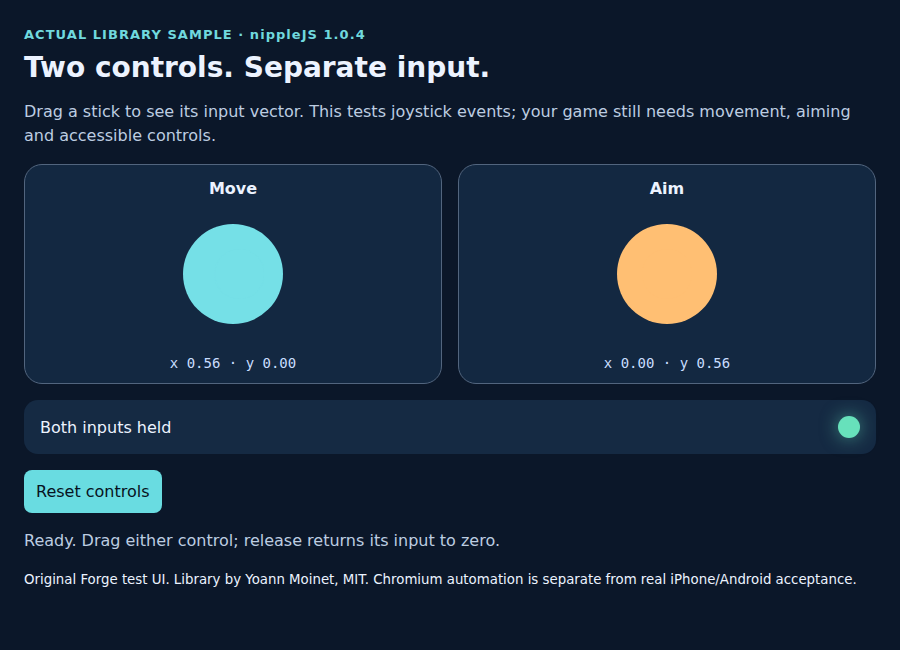
nippleJS · browser touch controls
JavaScript virtual joystick for browser touch controls, including separate move and aim inputs.
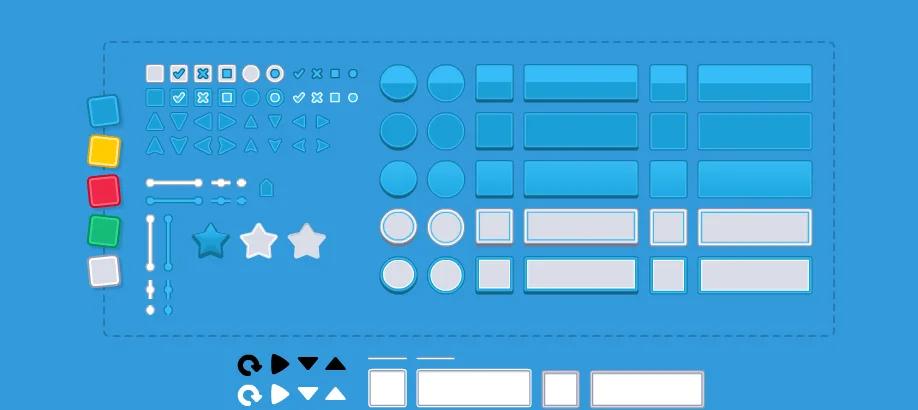
UI Pack
Interface artwork for buttons, panels and sliders.
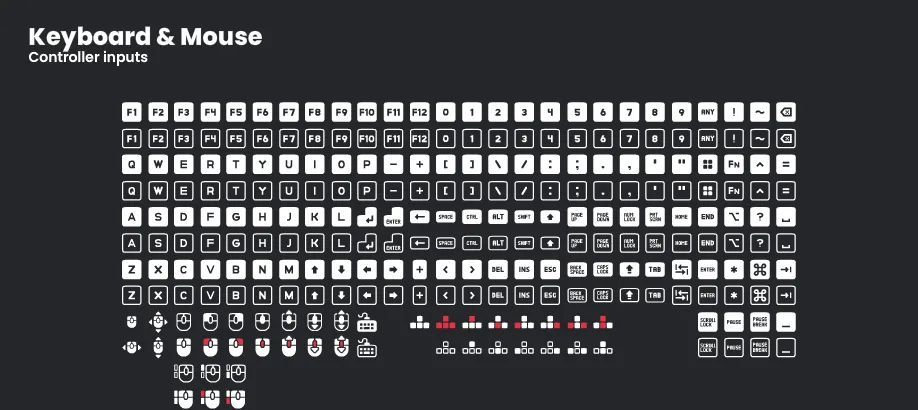
Input Prompts
Control glyphs that show players which button or gesture to use.
Interface Sounds
Short sounds for buttons and menu interactions.
Check compatibility before importing
- howler.js · by GoldFire Studios / James Simpson · JavaScript · MIT. Original source ↗
- nippleJS · browser touch controls · by Yoann Moinet · JavaScript, TypeScript · MIT. Original source ↗
- UI Pack · by Kenney · OGG, PNG, SVG · CC0-1.0. Original source ↗
- Input Prompts · by Kenney · PNG, SVG · CC0-1.0. Original source ↗
- Interface Sounds · by Kenney · OGG · CC0-1.0. Original source ↗
For each listing, review the separate permissions to sell a finished game, redistribute files and include files in a source/template product. No pack is implied to contain a complete game or all the mechanics below.
Make Your Game Better
Keep the working reference and choose one gap: one better control, readable UI or the tested Coin Dash timing fix.
Inspect the existing system before replacing it. Start with the guide’s source-reviewed free listings and original creator pages. Audio files, fonts, sprites/models, plug-ins and engine binaries have separate terms. A paid edition is optional and needs a specific missing capability, exact current plan/price check and a verified target; no paid resource improves the ranking of a recommendation.
Test the same run before and after the change; record only what you actually executed. Plan an existing-game upgrade · Follow the worked debugging/timing comparison · Refine the original concept · Open Build a Game.
Read, build and copy as a guest. Production sign-in is currently unavailable; keep prompts and source on your device. Game progress is separate from My Forge plans.
Learn from the original sources
Third-party downloads retain their own creator/licence terms. Finished-game use, raw-file redistribution and source/template inclusion are separate permissions. Familiar game references describe inspiration; these are independent Forge tutorials, with no franchise characters, tracks, music, logos or copied assets bundled.