
How to Make a Minecraft-Style Game: Start With a Small Block World
Make an original Minecraft-style block builder with AI: mining, inventory and placement. Test free 2D source before a bounded 3D Godot world.
Copy the complete build brief, complete original source, free asset options and licence facts. Or review and select the prompt.
Learn how to make a Minecraft-style game with AI: this block-building tutorial proves mining, inventory and block placement in a free 2D browser prototype, then explains a bounded Godot4 voxel-world path.
See the source and assets included
Source and assets for this guide
How to Make a Minecraft-Style Game: Start With a Small Block World
Download complete Genre Lab1.0 source · MIT licence · Play Block Patch
Original shapes and geometry are drawn in render.mjs or game.js. No external sprite/model/audio pack is needed for this baseline.
Every source file and how to run it
- index.html
- game.css
- main.mjs
- input.mjs
- worlds.mjs
- render.mjs
- files.mjs
- serve.mjs
- check.mjs
- README.md
- LICENSE.txt
Extract all eleven files. Run node check.mjs (16 checks), then node serve.mjs; ES modules need HTTP. Choose the lesson in the local menu.
- Godot · by Godot Engine contributors
Runtime/editor for a bounded fuller 3D block world. Included in build prompt. Included as a free optional ingredient. The source ZIP includes its required art. Extra catalogue ingredients are optional; the native project needs its chosen engine.
Original creator download ↗ · MIT - UI Pack · by Kenney
Optional inventory and targeting interface artwork. Included in build prompt. Included as a free optional ingredient. The source ZIP includes its required art. Extra catalogue ingredients are optional; the native project needs its chosen engine.
Original creator download ↗ · CC0-1.0 - Impact Sounds · by Kenney
Optional mining and placement feedback sounds. Included in build prompt. Included as a free optional ingredient. The source ZIP includes its required art. Extra catalogue ingredients are optional; the native project needs its chosen engine.
Original creator download ↗ · CC0-1.0
The copied prompt includes the exact source-file links, selected/deferred ingredient roles, creator facts and separate licence/redistribution conditions.
What you will learn and need
Beginner-to-intermediate: run a complete original 2D browser example, understand its game rules, adapt one system and plan an engine project. Basic JavaScript reading helps; the fuller Godot path needs basic scenes/GDScript and the exact installed Godot4.x version. The reference is not a prebuilt Godot project.
Use a current browser with Canvas, Pointer Events and ES modules for Genre Lab. Its local helper/checks used Node24.19.0. Keep a baseline folder and only share permitted project context. Free code/art choices cover the first milestone; no purchase is required. The examples have no saving, online play or commercial franchise assets.
Build with written and visual steps
Start with a bounded original block plot
People searching for how to make a Minecraft-style game often mean building, mining and a voxel world. Start with one small plot and a shelter goal. Block Patch is an original 2D rules exercise; it does not pretend to be a 3D Minecraft clone, infinite world or finished terrain engine. Use your own block names, textures, creatures and UI.
The full Forge preset uses Survival, Crafting, Wilderness, 3D, First-person, Godot, Desktop and Solo. The quick reference uses a 2D Top-down browser grid. Artwork and a voxel-like appearance do not provide targeting, inventory, geometry updates or persistence.
Choose the plan and run Block Patch
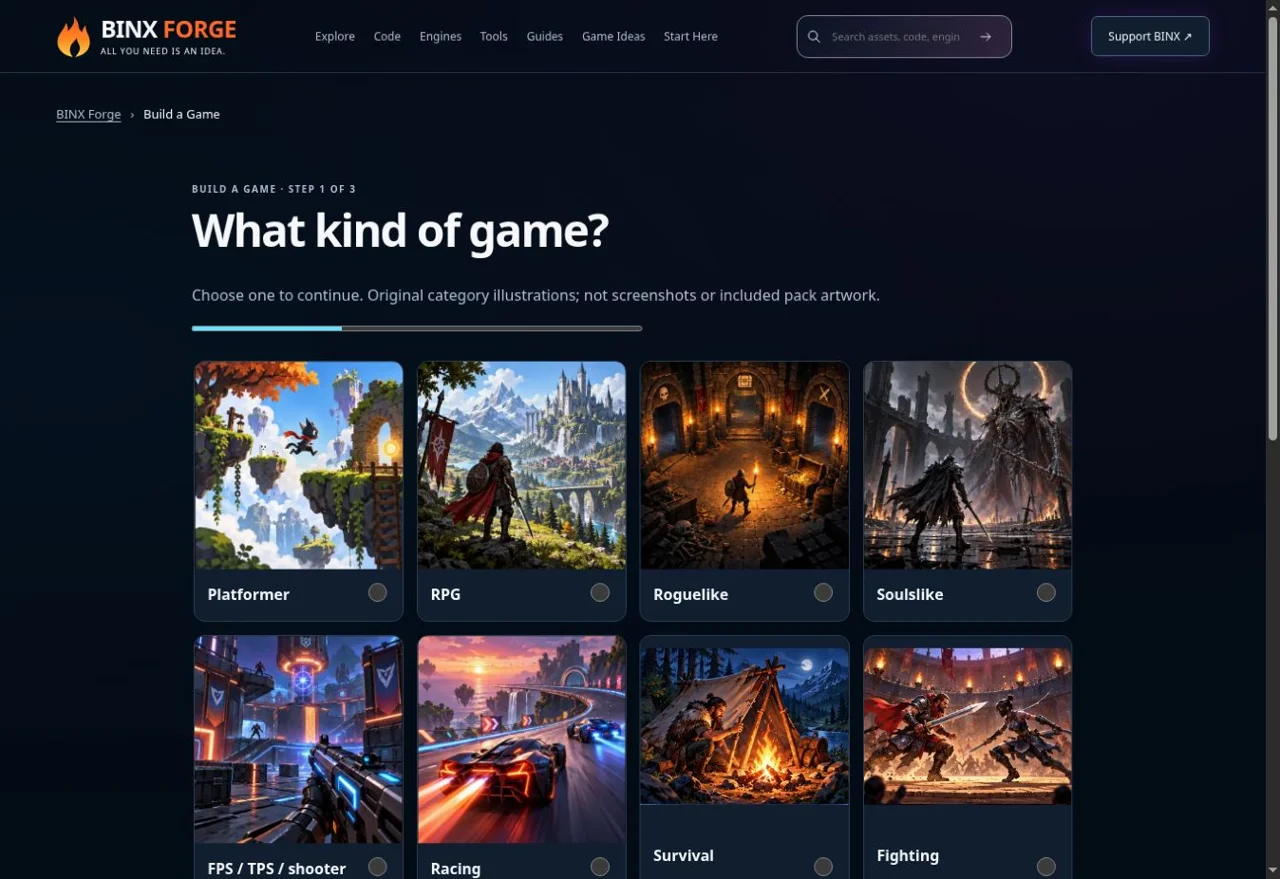
Choose Survival and a Crafting focus for the fuller block game; the quick reference is explicitly 2D. · genuine existing Forge capture, 10 October 2026 Download all 11 Genre Lab1.0 files, extract into an empty
genre-labfolder and keep the paths together. In that folder runnode check.mjs(tested Node24.19.0): expect 16 passes. Then runnode serve.mjsand openhttp://127.0.0.1:8080. Choose Block Patch in the lesson menu and Start a new run. For a busy port usenode serve.mjs 8081. Stop with Ctrl+C.Do not double-click HTML: these ES modules need HTTP and JavaScript MIME. No npm install, paid pack, API key or account is required. The local helper refuses query strings, so choose the lesson with the menu locally. The public Play link selects the lesson with a fixed, allowlisted mode.
Make targeting visible and limit the interaction
The yellow outline targets the cell immediately above the player. Walk beside a block and choose Remove block. This first controller deliberately has one-cell reach and one direction, making the rule easy to inspect. In worlds.mjs the target is computed from the player’s grid cell, never from an arbitrary position submitted by a visitor.
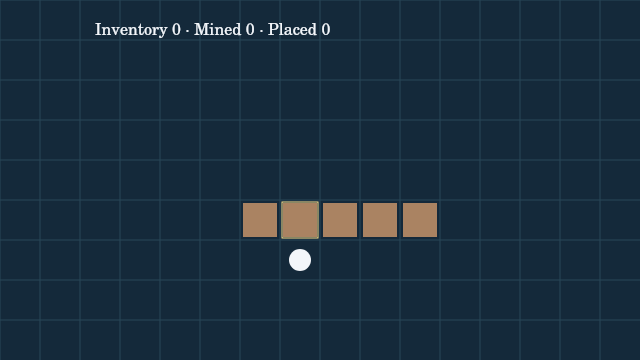
Block Patch: the highlighted tile above the player is the removal/placement target. Actual source-rendered Canvas frame; this is not a browser screenshot. For a 3D Godot version, use a RayCast3D from the camera with a short maximum reach and correct collision mask. Convert the hit position and normal to the target grid cell; use an inward offset for removal and an outward offset for placement so a face on a cell boundary selects the intended neighbour. Verify local/world transforms and negative coordinates.
Treat removal, inventory and placement as one transaction
Removal requires an existing block, removes it once and increases inventory once. Placement requires an empty in-bounds cell and positive inventory, creates one block and consumes one item. Walking checks solid cells. A full 3D implementation must also refuse placement overlapping the player’s collision body; the 2D reference targets the cell above and cannot place into the player’s own cell.
Validate every precondition before changing world and inventory · original rule diagram 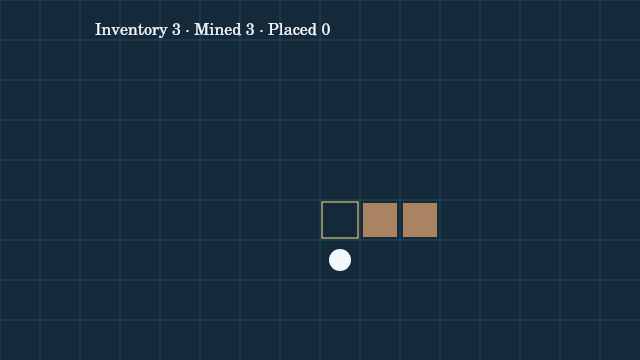
Three removed blocks became inventory; empty cells remain walkable. Actual source-rendered Canvas frame; this is not a browser screenshot. Test removing the same empty cell twice, placing with zero inventory, placing into an occupied cell and walking into solid blocks. Three removals and three placements complete the reference goal; restart restores the original plot.
Use an existing Godot representation before a custom voxel engine
For a small Godot4.x block world, inspect GridMap and MeshLibrary first. Build one cube mesh with simple static collision, export the mesh library and set grid cell size to match the mesh. Add a tested first-person CharacterBody3D controller and camera. Render a highlight for the raycast target and update only the selected cell after a validated action.
GridMap is useful for a bounded scene; it does not automatically provide infinite terrain, crafting, chunk streaming or a Minecraft-scale world. Before writing custom geometry, measure an actual small scene and determine whether you need exposed-face meshing, chunk boundaries, loading or collision rebuilds. Keeping one independent scene per block can become costly; a small prototype’s frame rate is not proof of large-world performance.
Save data and rebuild derived geometry
Save a format version, finite plot bounds, allowed block IDs, occupied cell positions and inventory counts. Refuse duplicate positions, unknown IDs, oversized arrays, impossible counts and invalid player locations. Rebuild visible cells and collision from validated data. Avoid serialising arbitrary engine objects or evaluating a saved script.
The browser example intentionally has no save system. Add and test saving separately in the actual engine/target: empty plot, one removed block, a full inventory, corrupted file, a changed version and interrupted writes. Keep invalid data from partly overwriting the current world.
Test the first world and publish the right target
Complete remove → inventory → place → goal → restart twice. For 3D, test reach limits, both sides of a block face, placement under the player, leaving the world and restoring after a load. Keep a fixed tiny plot until collision and save state agree. Add one crafting recipe or one neighbouring chunk only after this journey passes.
For the original browser example, keep index.html, game.css, main.mjs, input.mjs, worlds.mjs and render.mjs together on your existing HTTPS static host; retain LICENSE.txt. No bundling or server backend is required. Verify module MIME, case-sensitive paths and the actual published URL. A Godot project uses its own matching export templates and platform checks; it cannot import these JavaScript files as GDScript.
Test focused keyboard and pointer release/cancel, pause/resume after changing tabs, outcomes and two restarts on the real target. Long stalls deliberately drop simulation time. Local simulation/controller checks and source-rendered frames do not establish physical phone, native browser or assistive-technology acceptance.
Complete original source and reproducible checks
Download all 11 files. Run node check.mjs:16 checks cover complete driven laps, gate rejection, drift/reset/timeout, real encounter movement, turn/capture refusal and party return, block inventory/collision, crop cycles, full survivor victory and bounded loss/upgrades, pure rendering, actual controller wiring through doubles and local HTTP delivery. This source uses no third-party assets or sound.
Exact files and main world rules
- index.html
- game.css
- main.mjs
- input.mjs
- worlds.mjs
- render.mjs
- files.mjs
- serve.mjs
- check.mjs
- README.md
- LICENSE.txt
/* Original BINX Forge Genre Lab1.0 · MIT. Shared timing pattern: Pocket Engine1.0. */
export const W=640,H=360;
const clamp=(n,a,b)=>Math.max(a,Math.min(b,n));
const distance=(a,b)=>Math.hypot(a.x-b.x,a.y-b.y);
export const modes=['kart','creatures','blocks','farm','survivors'];
export const lessons={
 kart:{name:'Circuit Spark',guide:'make-a-racing-game',instructions:'Finish two clockwise laps in 90 seconds. Up accelerates, down brakes, left/right steer. Toggle Drift while turning; release it for a boost. The cyan pickup supplies turbo.',buttons:['Toggle drift','Reset to last gate','']},
 creatures:{name:'Meadow Bonds',guide:'make-a-pokemon-style-game',instructions:'Walk through the marked meadow to meet creatures. Choose Attack, Capture or Flee in battle. Make a party of three and return to the home tile. Home heals and refills five capture tokens.',buttons:['Attack','Capture','Flee']},
 blocks:{name:'Block Patch',guide:'make-a-minecraft-style-game',instructions:'Move around a 2D block plot. Build or remove the tile directly above you. Collect three blocks, then place three to finish. Placement into your own tile is forbidden. This teaches rules, not a 3D voxel engine.',buttons:['Remove block','Place block','']},
 farm:{name:'Sprout Shift',guide:'make-a-stardew-valley-style-game',instructions:'Walk next to one of the four plots. Tend plants or waters a crop; a ripe crop can be harvested. End day advances only watered crops. Sell four harvests to finish.',buttons:['Tend / harvest','End day','']},
 survivors:{name:'Pulse Meadow',guide:'make-a-vampire-survivors-style-game',instructions:'Move and survive for 60 seconds. Your pulse attacks nearby enemies automatically. Collect blue gems. At a level-up choose stronger damage or longer range; the game waits for your choice.',buttons:['Upgrade damage','Upgrade range','']}
};
export const species=Object.freeze([
 {id:'mosskip',name:'Mosskip',type:'Sprout',maxHp:30,attack:7,colour:'#9ce6a8'},
 {id:'cinderfin',name:'Cinderfin',type:'Flare',maxHp:28,attack:6,colour:'#ffae80'},
 {id:'rillbat',name:'Rillbat',type:'Tide',maxHp:32,attack:6,colour:'#82d7ff'}
].map(Object.freeze));
const creature=i=>({...species[i],hp:species[i].maxHp});
export const typeMultiplier=(a,b)=>a===b?1:({Sprout:'Tide',Tide:'Flare',Flare:'Sprout'}[a]===b?1.5:0.75);
export const captureChance=c=>clamp(0.2+0.6*(1-c.hp/c.maxHp),0.2,0.8);
export function newState(mode){
 if(!modes.includes(mode))throw Error('Choose a supported lesson.');
 const base={mode,status:'ready',age:0,message:'Ready. Start a new run.',player:{x:80,y:180},score:0};
 if(mode==='kart')return {...base,player:{x:560,y:180},angle:Math.PI/2,speed:0,remaining:90,nextGate:1,laps:0,drift:false,charge:0,boost:0,pickupCooldown:0,lastGate:0};
 if(mode==='creatures')return {...base,player:{x:60,y:180},moveClock:0,party:[creature(0)],wild:null,tokens:5,grassSteps:0,encounters:0};
 if(mode==='blocks')return {...base,player:{x:300,y:260},moveClock:0,blocks:[{x:7,y:5},{x:8,y:5},{x:6,y:5},{x:9,y:5},{x:10,y:5}],inventory:0,mined:0,placed:0};
 if(mode==='farm')return {...base,player:{x:300,y:260},moveClock:0,day:1,harvests:0,coins:0,plots:[6,7,8,9].map(x=>({x,y:5,growth:-1,watered:false}))};
 return {...base,remaining:60,hp:6,invulnerable:0,pulse:0,spawn:0,enemies:[],gems:[],xp:0,level:1,damage:2,range:100,upgrades:0};
}
export const gates=[{x:560,y:180},{x:320,y:300},{x:80,y:180},{x:320,y:60}];
export function acceptGate(s,index,forward){
 if(s.status!=='running'||s.mode!=='kart'||!forward||index!==s.nextGate)return false;
 s.lastGate=index;s.nextGate=(index+1)%4;
 if(index===0){s.laps++;s.score=s.laps;if(s.laps===2){s.status='won';s.message='Two laps complete! Start a new run.';}}
 return true;
}
function kartStep(s,input,dt){
 s.remaining=Math.max(0,s.remaining-dt);s.boost=Math.max(0,s.boost-dt);s.pickupCooldown=Math.max(0,s.pickupCooldown-dt);
 s.speed=clamp(s.speed+((input.up?105:0)-(input.down?200:0)-(!input.up&&!input.down?45:0))*dt,0,s.boost>0?240:170);
 const steering=Number(!!input.right)-Number(!!input.left);
 s.angle+=steering*1.8*(s.speed/170)*(s.drift?1.3:1)*dt;
 if(s.drift&&steering&&s.speed>60)s.charge=Math.min(1.5,s.charge+dt);
 const before={...s.player};s.player.x+=Math.cos(s.angle)*s.speed*dt;s.player.y+=Math.sin(s.angle)*s.speed*dt;
 const radius=Math.hypot((s.player.x-320)/240,(s.player.y-180)/120);
 if(radius<0.70||radius>1.30){s.player=before;s.speed*=0.4;s.charge=0;s.message='Track edge: steer back onto the road.';}
 const gate=gates[s.nextGate],tangents=[{x:0,y:1},{x:-1,y:0},{x:0,y:-1},{x:1,y:0}],t=tangents[s.nextGate];
 const prevSide=(before.x-gate.x)*t.x+(before.y-gate.y)*t.y,side=(s.player.x-gate.x)*t.x+(s.player.y-gate.y)*t.y;
 if(prevSide<0&&side>=0&&distance(s.player,gate)<65)acceptGate(s,s.nextGate,true);
 if(s.pickupCooldown===0&&distance(s.player,{x:320,y:60})<22){s.boost=1;s.pickupCooldown=8;s.message='Turbo pickup: one second of boost.';}
 if(s.remaining===0&&s.status==='running'){s.status='lost';s.message='Time is up. Start a new run.';}
}
function gridMove(s,input,dt){
 s.moveClock=Math.max(0,s.moveClock-dt);if(s.moveClock>0)return false;
 const dx=Number(!!input.right)-Number(!!input.left),dy=Number(!!input.down)-Number(!!input.up);if(!dx&&!dy)return false;
 const p={x:clamp(s.player.x+(dx?Math.sign(dx)*40:0),20,620),y:clamp(s.player.y+(!dx?Math.sign(dy)*40:0),20,340)};
 s.moveClock=0.16;
 if(s.mode==='blocks'&&s.blocks.some(b=>b.x===Math.floor(p.x/40)&&b.y===Math.floor(p.y/40)))return false;
 if(p.x===s.player.x&&p.y===s.player.y)return false;s.player=p;return true;
}
function creatureStep(s,input,dt){
 if(!gridMove(s,input,dt))return;
 if(s.player.x===60&&s.player.y===180){s.party.forEach(c=>c.hp=c.maxHp);s.tokens=5;s.message='Home: party healed and capture tokens refilled.';if(s.party.length===3){s.status='won';s.message='Three companions home safely! Start a new run.';}return;}
 if(s.player.x>=180&&s.player.x<=500&&s.player.y>=100&&s.player.y<=260){
  s.grassSteps++;if(s.grassSteps%3===0){s.wild=creature((++s.encounters)%3);s.status='battle';s.message='Wild '+s.wild.name+'! Attack, Capture or Flee.';}
 }
}
function reply(s){
 const active=s.party.find(c=>c.hp>0);if(!active){s.status='lost';s.message='Party exhausted. Start a new run.';return;}
 const damage=Math.max(1,Math.round(s.wild.attack*typeMultiplier(s.wild.type,active.type)));active.hp=Math.max(0,active.hp-damage);
 s.message+=' Opponent deals '+damage+'.';
 if(!s.party.some(c=>c.hp>0)){s.status='lost';s.message+=' Party exhausted: start a new run.';}
 else if(active.hp===0)s.message+=' Your next healthy companion takes over.';
}
function survivorStep(s,input,dt){
 const dx=Number(!!input.right)-Number(!!input.left),dy=Number(!!input.down)-Number(!!input.up),len=Math.hypot(dx,dy)||1;
 s.player.x=clamp(s.player.x+dx/len*140*dt,12,W-12);s.player.y=clamp(s.player.y+dy/len*140*dt,12,H-12);
 s.remaining=Math.max(0,s.remaining-dt);s.invulnerable=Math.max(0,s.invulnerable-dt);s.pulse-=dt;s.spawn-=dt;
 if(s.spawn<=0){s.spawn+=1.1;if(s.enemies.length<12){const i=Math.floor(s.age/1.1),e={x:i%2?W-15:15,y:20+(i*73)%320,hp:2+Math.floor(s.age/20)};if(distance(e,s.player)<100)e.x=W-e.x;s.enemies.push(e);}}
 for(const e of s.enemies){const d=distance(e,s.player)||1;e.x+=(s.player.x-e.x)/d*42*dt;e.y+=(s.player.y-e.y)/d*42*dt;}
 if(s.pulse<=0){s.pulse+=0.6;for(const e of s.enemies)if(distance(e,s.player)<=s.range)e.hp-=s.damage;}
 for(const e of s.enemies.filter(e=>e.hp<=0)){if(s.gems.length<24)s.gems.push({x:e.x,y:e.y});s.score++;}s.enemies=s.enemies.filter(e=>e.hp>0);
 if(s.invulnerable===0&&s.enemies.some(e=>distance(e,s.player)<22)){s.hp--;s.invulnerable=0.8;}
 const collected=s.gems.filter(g=>distance(g,s.player)<24).length;s.gems=s.gems.filter(g=>distance(g,s.player)>=24);s.xp+=collected;
 if(s.hp<=0){s.status='lost';s.message='Run ended. Start again and keep moving.';}
 else if(s.remaining===0){s.status='won';s.message='60 seconds survived! Start a new run.';}
 else if(s.xp>=s.level*3){s.status='upgrade';s.message='Level up: choose damage or range. Timer is paused.';}
}
export function step(s,input={},dt){
 if(s.status!=='running'||!Number.isFinite(dt)||dt<=0||dt>0.01+1e-9)return;
 s.age+=dt;
 if(s.mode==='kart')kartStep(s,input,dt);
 else if(s.mode==='creatures')creatureStep(s,input,dt);
 else if(['blocks','farm'].includes(s.mode))gridMove(s,input,dt);
 else survivorStep(s,input,dt);
}
export function advance(s,input,elapsed){
 if(!Number.isFinite(elapsed)||elapsed<=0)return;const time=Math.min(0.1,elapsed),count=Math.ceil(time/0.01);for(let i=0;i<count;i++)step(s,input,time/count);
}
export function action(s,index,random=Math.random){
 if(s.mode==='kart'&&s.status==='running'){
  if(index===0){s.drift=!s.drift;if(!s.drift){if(s.charge>=0.6){s.boost=0.8;s.message='Drift release: boost!';}s.charge=0;}}
  if(index===1){s.player={...gates[s.lastGate]};s.angle=[Math.PI/2,Math.PI,-Math.PI/2,0][s.lastGate];s.speed=0;s.charge=0;s.drift=false;s.message='Reset to last valid gate; progress preserved.';}return;
 }
 if(s.mode==='creatures'&&s.status==='battle'){
  const active=s.party.find(c=>c.hp>0);if(!active||!s.wild)return;
  if(index===2){s.wild=null;s.status='running';s.message='Fled safely. Walk back home to heal.';return;}
  if(index===1){
   if(s.party.length>=3){s.message='Party is full. Flee and return home.';return;}if(s.tokens===0){s.message='No capture tokens. Flee and refill at home.';return;}
   s.tokens--;if(random()<captureChance(s.wild)){s.party.push({...s.wild});s.wild=null;s.status='running';s.message='Captured! Party '+s.party.length+'/3. Return home or explore.';return;}s.message='Capture failed.';
  }else if(index===0){const damage=Math.max(1,Math.round(active.attack*typeMultiplier(active.type,s.wild.type)));s.wild.hp=Math.max(0,s.wild.hp-damage);s.message=active.name+' deals '+damage+'.';if(s.wild.hp===0){s.wild=null;s.status='running';s.message+=' Encounter won; this creature cannot be captured now.';return;}}
  else return;
  reply(s);return;
 }
 if(s.status!=='running'&&!(s.mode==='survivors'&&s.status==='upgrade'))return;
 if(s.mode==='blocks'){
  const target={x:Math.floor(s.player.x/40),y:Math.floor(s.player.y/40)-1};if(target.y<0)return;
  const i=s.blocks.findIndex(b=>b.x===target.x&&b.y===target.y);
  if(index===0&&i>=0){s.blocks.splice(i,1);s.inventory++;s.mined++;s.message='One block collected.';}
  else if(index===1&&i<0&&s.inventory>0){s.blocks.push(target);s.inventory--;s.placed++;s.message='One block placed.';}
  else{s.message='Nothing changed: check the tile above and inventory.';return;}
  s.score=s.placed;if(s.mined>=3&&s.placed>=3){s.status='won';s.message='Three blocks collected and placed. Build complete!';}return;
 }
 if(s.mode==='farm'){
  if(index===1){s.day++;for(const p of s.plots){if(p.growth>=0&&p.watered)p.growth=Math.min(2,p.growth+1);p.watered=false;}s.message='Day '+s.day+'. Water crops before ending the day.';return;}
  if(index!==0)return;const x=Math.floor(s.player.x/40),y=Math.floor(s.player.y/40);
  const p=s.plots.find(p=>Math.abs(p.x-x)+Math.abs(p.y-y)===1);if(!p){s.message='Stand beside a plot.';return;}
  if(p.growth===2){s.harvests++;s.coins+=2;p.growth=-1;p.watered=false;s.message='Harvest sold for two coins.';}
  else if(p.growth<0){p.growth=0;s.message='Seed planted. Tend again to water.';}
  else {p.watered=true;s.message='Watered. It grows when you end the day.';}
  s.score=s.harvests;if(s.harvests===4){s.status='won';s.message='Four harvests sold. Farm complete!';}return;
 }
 if(s.mode==='survivors'&&s.status==='upgrade'&&[0,1].includes(index)){
  s.xp-=s.level*3;s.level++;s.upgrades++;if(index===0)s.damage=Math.min(6,s.damage+1);else s.range=Math.min(160,s.range+15);s.status='running';s.message='Upgrade chosen. Keep moving.';
 }
}
The visual frames execute the same original render module against actual simulation state on native Canvas. They are not browser screenshots or evidence of native input/phone acceptance. Genuine Forge captures show the existing shared tool. Godot extensions and separate AI outputs have not been executed for this guide.
Take one useful milestone to your AI
Build prompt
Review complete prompt
Debug prompt
Review or select the text to copy.
Review complete prompt
Upgrade prompt
Review or select the text to copy.
Review complete prompt
Quick milestone prompt
Review or select the text to copy.
Review complete prompt
Game-development questions this guide answers
How do I start a Minecraft-style block-building game?
Use one bounded plot and original block shapes. Test removing a block, adding it to inventory and placing it safely. The complete free reference draws its own blocks; infinite terrain, texture packs, crafting and 3D exports are separate extensions.
Which free game assets do I need for the first prototype?
The complete original Block Patch reference draws its own geometry, so there is no required art-pack purchase. Use the source links above, then add the listed UI, sound, character or environment ingredients where they fit. The copyable AI prompt includes original creator links and licence conditions.
Is this a browser game tutorial or a full Godot project?
The runnable reference is a small HTML/JavaScript Canvas game. The Godot4 direction explains how to adapt the rules into a fuller project; 3D, saving, rigs and exports need their own implementation and tests.
Common failures and the first useful check
- Blank page or disabled Start
Keep exact file paths and inspect the first Console/Network error. ES modules need HTTP and JavaScript MIME; the classic Coin Dash reference uses a different launch path.
- Progress changes twice or runs speed up after restart
Check state/once guards, duplicate event handlers and multiple animation loops. Reset run data inside the existing owner, then repeat two restarts.
- A key keeps moving or the game changed behind a menu
Clear held input on release/cancel/blur. Gate world updates on the active gameplay mode; battle, upgrade and pause states need explicit transitions.
- An imported asset does not solve the mechanic
Match 2D/3D, exact files, scale, rig, engine/version and target. A visual pack supplies art; your controller, state rules and integration still require tests.
Building blocks from original creators
Start with the free edition where it fits. Paid editions and services are optional; inspect current prices, licence conditions and engine versions. Preview credits appear on each resource card.
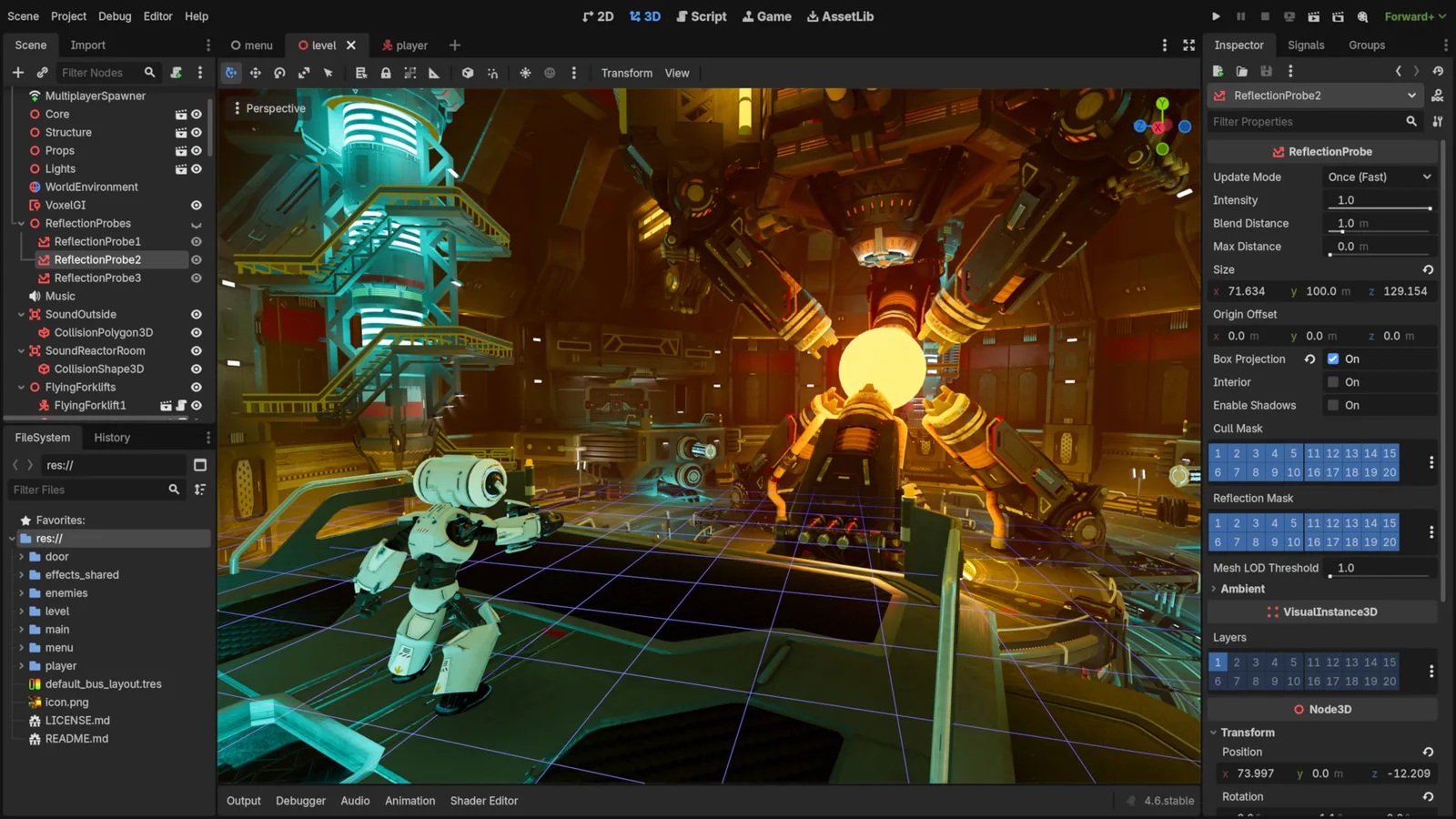
Godot Engine contributors · Original screenshot ↗ · CC BY 4.0 ↗. Resized and compressed.
Godot Engine contributorsGodot
Free, open-source game editor for 2D and 3D projects, with scene, animation and interface tools.
UI Pack
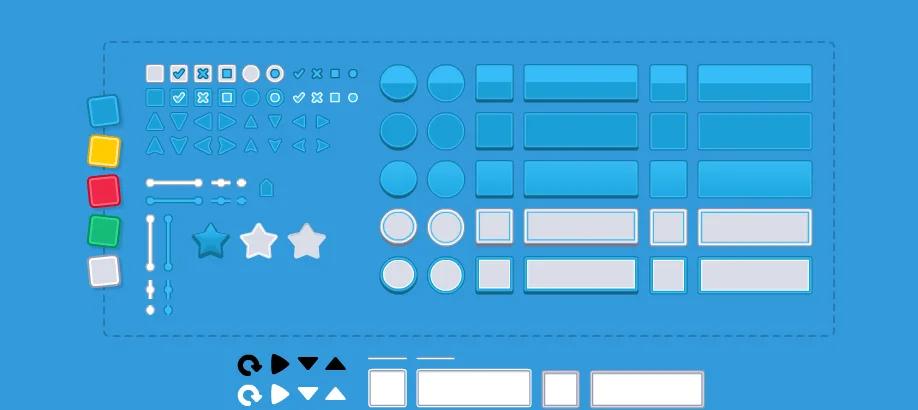
Interface artwork for buttons, panels and sliders.
Impact Sounds
Short impacts and footsteps for action feedback and surface changes.
Check compatibility before importing
- Godot · by Godot Engine contributors · See source for formats · MIT. Original source ↗
- UI Pack · by Kenney · OGG, PNG, SVG · CC0-1.0. Original source ↗
- Impact Sounds · by Kenney · OGG · CC0-1.0. Original source ↗
For each listing, review the separate permissions to sell a finished game, redistribute files and include files in a source/template product. No pack is implied to contain a complete game or all the mechanics below.
Make Your Game Better
Keep the working reference and choose one gap: one crafting recipe, a clearer target highlight or a measured bounded3D scene.
Inspect the existing system before replacing it. Start with the guide’s source-reviewed free listings and original creator pages. Audio files, fonts, sprites/models, plug-ins and engine binaries have separate terms. A paid edition is optional and needs a specific missing capability, exact current plan/price check and a verified target; no paid resource improves the ranking of a recommendation.
Test the same run before and after the change; record only what you actually executed. Plan an existing-game upgrade · Follow the worked debugging/timing comparison · Refine the original concept · Open Build a Game.
Read, build and copy as a guest. Production sign-in is currently unavailable; keep prompts and source on your device. Game progress is separate from My Forge plans.
Learn from the original sources
Original example code and geometry use the included MIT notice. Retain it when redistributing covered source. Third-party downloads retain their own creator/licence terms. Finished-game use, raw-file redistribution and source/template inclusion are separate permissions. Familiar game references describe inspiration; these are independent Forge tutorials, with no franchise characters, tracks, music, logos or copied assets bundled.