
How to Improve an AI-Generated Game: Diagnose, Fix and Test
Keep working code, diagnose one fault and compare a real Coin Dash timing upgrade. Follow exact steps, complete files and copyable debugging prompts.
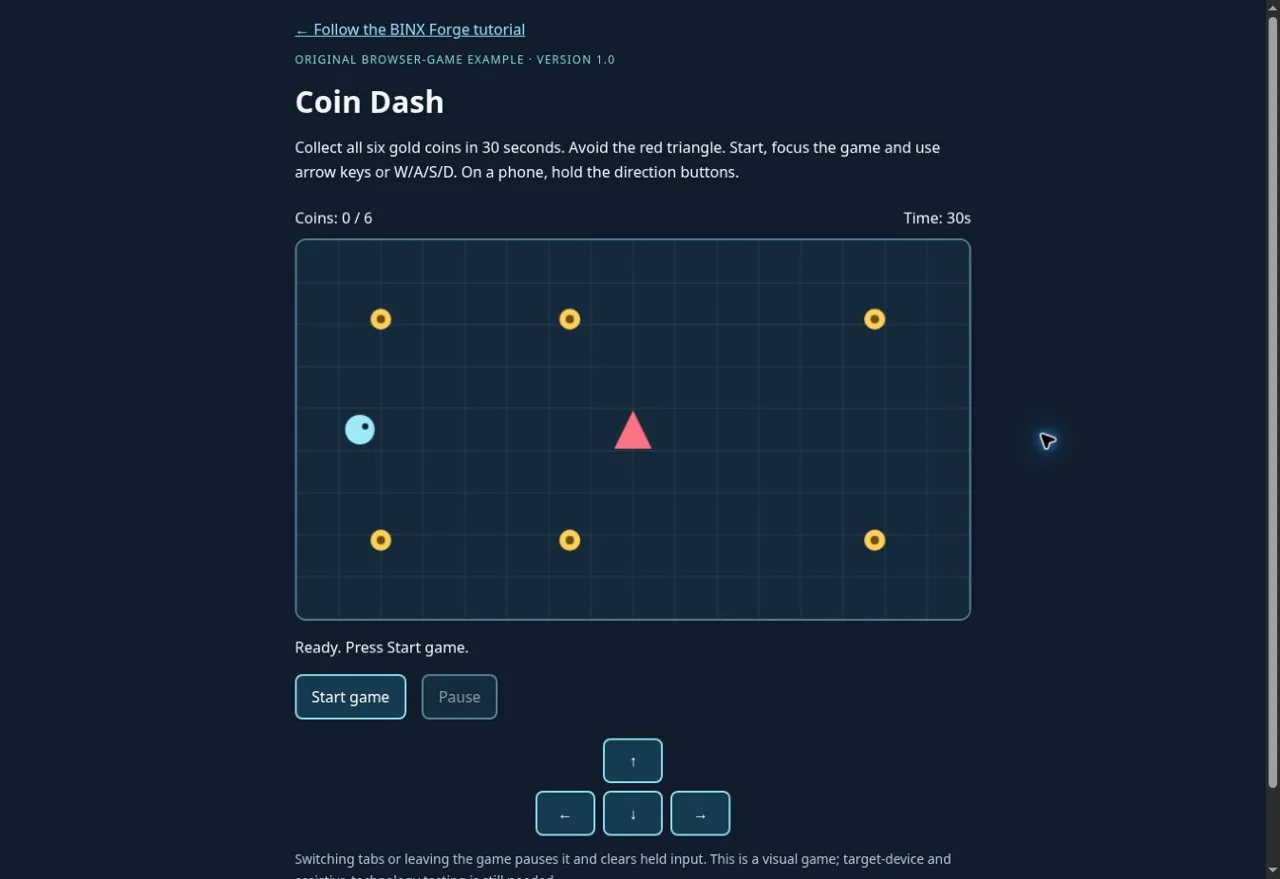
Keep the game that already works. Reproduce one problem, change one system and repeat the same test. This walkthrough fixes a real low-frame-rate timing issue in our original Coin Dash example. The same diagnostic method applies to Unity, Godot and other engines; their code changes need their own engine-specific checks.
What you will finish
A working copy of Coin Dash whose movement and simulated countdown stay consistent at tested 15, 30, 60 and 120 FPS inputs, plus a short evidence log for one upgrade to your own game. You need a text editor and a current Canvas/Pointer Events browser. The comparison uses Coin Dash 1.0 and Coin Dash Timing 1.1, plain JavaScript and no dependencies. Its simulation tests run in Node 24.19.0; this does not certify every browser or phone.
If you need a first playable game, follow the browser-game tutorial and start with Build a Game. For an existing project, use Upgrade My Game and keep its engine and selections.
Find one problem you can repeat
Save a working baseline
Copy the project to a separate folder, or commit it in your existing Git repository. Record the engine/browser version, target device, input and expected outcome. Keep a small recording or written measurement. Avoid sharing account tokens or private player data with an AI.
Describe the symptom precisely
“Movement takes longer at low FPS” is actionable. “The graphics are bad” needs a specific example: wrong scale, unreadable enemy, missing walk cycle or harsh lighting. Open the browser Console, reproduce once and copy the first error before later errors. In Unity/Godot, use the existing Console/Debugger and profiler.
Check existing systems first
Read the controller, simulation loop and animation transitions. Check the exact sprite-sheet order or rig, state exit conditions, collision layer and asset scale. Reuse the engine's fixed physics update or current animator when suitable. A new asset pack cannot repair a duplicate update loop or a stuck input flag.
Ask for one reversible patch
Provide the relevant permitted source and this brief. Compare the same scene, camera and input. Keep the old version available until the checks pass.
Audit and first experiment prompt
Review the brief and add only project details you choose to share.
Debug one fault prompt
| Symptom | First check | One acceptance test |
|---|---|---|
| Slow or jumping movement | Elapsed-time units, duplicate loops, collision and focus | Repeat straight and diagonal input at the same duration |
| Stiff animation | Frame order, loop flags, transitions and compatible rig | Idle → move → stop twice, then one attack recovery |
| Enemies stick or teleport | Spawn points, obstacle paths and update ownership | One enemy rounds the same corner and recovers from a block |
| Unreadable visuals | Player scale, contrast, camera and active effects | Find the player and threat on the smallest target screen |
| Falling FPS | Measure update/render work and retained objects | Record frame timings after two runs in the same scene |
| Missing saves | State schema, permissions and error handling | Save, reopen and load with storage unavailable |
Worked example: keep movement consistent on slower frames
Coin Dash 1.0 multiplies movement by elapsed time, normalises diagonals and caps each update at 0.05 seconds. That cap prevents a big jump after a stall. At a simulated 15 FPS, however, each frame lasts about 0.0667 seconds: the original uses only 0.05. Over one second, rightward movement covers 135 world pixels and the countdown advances 0.75 seconds. Increasing player speed would hide the symptom and break faster-frame behaviour.
Make a separate test folder
Extract the original ZIP, copy it to a folder named
coin-dash-timing, then opengame.js. Keepindex.html,game.cssandLICENSE.txtbeside it. Openindex.html; if local scripts are restricted, use your existing static server. No package installation is needed.Add a bounded frame function
Insert this after
step()and before the public API. It accepts at most 0.1 seconds, divides that into no more than ten small updates, and checks collision and terminal state between them.// Process ordinary slow frames without discarding their elapsed time. // At most ten updates of at most 0.01 seconds; longer stalls deliberately lose time. function advanceFrame(state, input, elapsed) { if (state.status !== 'running') return state; const dt = clamp(Number.isFinite(elapsed) ? elapsed : 0, 0, 0.1); const updates = Math.ceil(dt / 0.01); for (let i = 0; i < updates && state.status === 'running'; i++) step(state, input, dt / updates); return state; }Change one call in the existing loop
Inside
frame(now), replacestep(state, input, dt);withadvanceFrame(state, input, dt);. Keep the existingrequestAnimationFrame(frame), input clearing, pause and restart handlers. Do not add a second animation loop. To expose the function to the reference tests, addadvanceFrameto the existingForgeCoinDashexport.Compare with the complete upgraded game.js. This fix improves consistency of simulation time at the tested rates; it does not increase rendering FPS. Longer stalls still deliberately discard time. The countdown follows active simulation time, so it is not a competitive wall-clock deadline. Collisions still need tests when changing speed or hitboxes.
Use the complete reference if you get stuck
Save these files into one empty folder with their exact names. The entire upgraded game is available; no partial-script guessing is required.
Read the complete timing-upgrade JavaScript
/* Coin Dash Timing 1.1 · Copyright (c) 2026 BINX Forge · MIT; see LICENSE.txt. */
(() => {
  'use strict';
  const WIDTH = 640, HEIGHT = 360, SPEED = 180;
  const clamp = (value, min, max) => Math.max(min, Math.min(max, value));
  const overlaps = (a, b) => Math.hypot(a.x - b.x, a.y - b.y) <= a.r + b.r;
  function newGame() {
    return {
      status: 'ready', score: 0, remaining: 30,
      player: { x: 60, y: 180, r: 14 },
      enemy: { x: 320, y: 180, r: 18, direction: 1 },
      coins: [[80, 75], [260, 75], [550, 75], [550, 285], [260, 285], [80, 285]]
        .map(([x, y]) => ({ x, y, r: 10, collected: false }))
    };
  }
  // All simulation changes live here. Rendering and input do not award points.
  function step(state, input, elapsed) {
    if (state.status !== 'running') return state;
    const dt = clamp(Number.isFinite(elapsed) ? elapsed : 0, 0, 0.05);
    let dx = (input.right ? 1 : 0) - (input.left ? 1 : 0);
    let dy = (input.down ? 1 : 0) - (input.up ? 1 : 0);
    const length = Math.hypot(dx, dy);
    if (length) { dx /= length; dy /= length; }
    const p = state.player;
    p.x = clamp(p.x + dx * SPEED * dt, p.r, WIDTH - p.r);
    p.y = clamp(p.y + dy * SPEED * dt, p.r, HEIGHT - p.r);
    const e = state.enemy;
    e.x += e.direction * 110 * dt;
    if (e.x >= 510) { e.x = 510; e.direction = -1; }
    if (e.x <= 130) { e.x = 130; e.direction = 1; }
    state.remaining = Math.max(0, state.remaining - dt);
    if (overlaps(p, e) || state.remaining === 0) { state.status = 'lost'; return state; }
    for (const coin of state.coins) {
      if (!coin.collected && overlaps(p, coin)) { coin.collected = true; state.score++; }
    }
    if (state.score === state.coins.length) state.status = 'won';
    return state;
  }
  // Process ordinary slow frames without discarding their elapsed time.
  // At most ten updates of at most 0.01 seconds; longer stalls deliberately lose time.
  function advanceFrame(state, input, elapsed) {
    if (state.status !== 'running') return state;
    const dt = clamp(Number.isFinite(elapsed) ? elapsed : 0, 0, 0.1);
    const updates = Math.ceil(dt / 0.01);
    for (let i = 0; i < updates && state.status === 'running'; i++) step(state, input, dt / updates);
    return state;
  }
  // A small public API lets the same shipped simulation run in clean Node tests.
  globalThis.ForgeCoinDash = Object.freeze({ newGame, step, advanceFrame, overlaps, WIDTH, HEIGHT, SPEED });
  if (typeof document === 'undefined') return;
  const canvas = document.querySelector('#game'), ctx = canvas.getContext('2d');
  const start = document.querySelector('#start'), pause = document.querySelector('#pause');
  const score = document.querySelector('#score'), time = document.querySelector('#time');
  const status = document.querySelector('#status');
  if (!ctx) { status.textContent = 'Canvas is unavailable in this browser. Read the source and tutorial instead.'; return; }
  let state = newGame(), previous = null;
  const keys = new Set(), pointers = new Map();
  const keyDirection = { ArrowUp: 'up', ArrowDown: 'down', ArrowLeft: 'left', ArrowRight: 'right', w: 'up', s: 'down', a: 'left', d: 'right' };
  function clearInput() { keys.clear(); pointers.clear(); }
  function showStatus() {
    status.textContent = ({ ready: 'Ready. Press Start game.', running: 'Collect the coins. Avoid the red triangle.', paused: 'Paused. Press Resume.', won: 'You won! All six coins collected. Try another run.', lost: 'Game over. Avoid the enemy and collect six coins before time runs out.' })[state.status];
    start.textContent = state.status === 'ready' ? 'Start game' : 'Restart game';
    pause.disabled = !['running', 'paused'].includes(state.status);
    pause.textContent = state.status === 'paused' ? 'Resume' : 'Pause';
  }
  function pauseGame() {
    clearInput(); previous = null;
    if (state.status === 'running') { state.status = 'paused'; showStatus(); }
  }
  start.disabled = false;
  start.addEventListener('click', () => {
    clearInput(); state = newGame(); state.status = 'running'; previous = null; showStatus(); canvas.focus();
  });
  pause.addEventListener('click', () => {
    if (state.status === 'running') pauseGame();
    else if (state.status === 'paused') { clearInput(); state.status = 'running'; previous = null; showStatus(); canvas.focus(); }
  });
  function insideControls(element) { return element === canvas || element?.matches?.('[data-direction]'); }
  document.addEventListener('keydown', event => {
    const direction = keyDirection[event.key.length === 1 ? event.key.toLowerCase() : event.key];
    if (!direction || !insideControls(document.activeElement)) return;
    event.preventDefault(); keys.add(direction);
  });
  document.addEventListener('keyup', event => {
    const direction = keyDirection[event.key.length === 1 ? event.key.toLowerCase() : event.key];
    if (direction) keys.delete(direction);
  });
  document.querySelectorAll('[data-direction]').forEach(button => {
    button.addEventListener('pointerdown', event => {
      if (event.pointerType === 'mouse' && event.button !== 0) return;
      button.setPointerCapture(event.pointerId); pointers.set(event.pointerId, button.dataset.direction);
    });
    for (const name of ['pointerup', 'pointercancel', 'lostpointercapture']) button.addEventListener(name, event => pointers.delete(event.pointerId));
  });
  document.addEventListener('focusout', event => { if (insideControls(event.target)) keys.clear(); });
  window.addEventListener('blur', pauseGame);
  document.addEventListener('visibilitychange', () => { if (document.hidden) pauseGame(); });
  function circle(x, y, r, colour) { ctx.fillStyle = colour; ctx.beginPath(); ctx.arc(x, y, r, 0, Math.PI * 2); ctx.fill(); }
  function render() {
    ctx.fillStyle = '#14293a'; ctx.fillRect(0, 0, WIDTH, HEIGHT);
    ctx.strokeStyle = '#254457'; ctx.lineWidth = 1;
    for (let x = 0; x <= WIDTH; x += 40) { ctx.beginPath(); ctx.moveTo(x, 0); ctx.lineTo(x, HEIGHT); ctx.stroke(); }
    for (let y = 0; y <= HEIGHT; y += 40) { ctx.beginPath(); ctx.moveTo(0, y); ctx.lineTo(WIDTH, y); ctx.stroke(); }
    for (const coin of state.coins) if (!coin.collected) { circle(coin.x, coin.y, coin.r, '#ffcf59'); circle(coin.x, coin.y, 4, '#704f15'); }
    const e = state.enemy;
    ctx.fillStyle = '#ff7185'; ctx.beginPath(); ctx.moveTo(e.x, e.y - e.r); ctx.lineTo(e.x + e.r, e.y + e.r); ctx.lineTo(e.x - e.r, e.y + e.r); ctx.closePath(); ctx.fill();
    circle(state.player.x, state.player.y, state.player.r, '#9ce9fa');
    circle(state.player.x + 5, state.player.y - 3, 3, '#14293a');
    score.value = String(state.score); time.value = String(Math.ceil(state.remaining));
  }
  function frame(now) {
    const dt = previous === null ? 0 : (now - previous) / 1000; previous = now;
    const input = Object.fromEntries([...keys, ...pointers.values()].map(direction => [direction, true]));
    const before = state.status; advanceFrame(state, input, dt);
    if (state.status !== before) { clearInput(); showStatus(); }
    render(); requestAnimationFrame(frame);
  }
  showStatus(); requestAnimationFrame(frame);
})();
Adapt the timing fix prompt
Test the same action before and after
| Simulated frame rate | Original distance / countdown used | Timing upgrade distance / countdown used |
|---|---|---|
| 15 FPS | 135 px / 0.75 s | 180 px / 1 s |
| 30 FPS | 180 px / 1 s | 180 px / 1 s |
| 60 FPS | 180 px / 1 s | 180 px / 1 s |
| 120 FPS | 180 px / 1 s | 180 px / 1 s |
The native tests also cover invalid/negative time, capped stalls, intermediate collisions, diagonal speed, a six-coin perimeter win, timeout, paused state and two fresh starts. These checks execute the shipped functions; they do not prove physical touch, screen-reader gameplay, real-device FPS or an independent AI's patch.
Your browser checklist
- Start each version, focus the canvas and move using arrows/WASD. Test a diagonal and every boundary.
- Take the perimeter route: top-left coins → top-right → bottom-right → bottom-left. Win with six points; colliding with the triangle or waiting should lose.
- Pause, hold a key, switch tabs and resume. Check that movement is cleared and the player does not jump.
- Restart twice. Score and timer reset, and the game must not update twice as fast.
- On a phone, hold two direction buttons, release, cancel a gesture, rotate and retest. A mouse test does not replace this.
- Use the browser's Performance tools if FPS is your problem. Record the same scene before/after; keep update-time and rendering-time results separate.
For reproducible Node checks, install Node 24.19.0 if needed, save check.mjs beside the upgraded game.js, open a terminal in that folder and run node check.mjs. It runs without npm or repository access. Expected: seven passing checks. The game itself runs in a browser without Node. Provider build/debug/integration responses for this guide are not independently certified.
Make Your Game Better
Only add a resource after identifying what the current game lacks. These are existing catalogue listings, not dependencies included in Coin Dash.
- Controls: keep the working direction buttons, or test nippleJS for an analogue browser joystick. Wire its vector into the existing controller and test independent release/cancellation.
- Audio: test howler.js when its playback/format handling helps, with one licensed sound from Kenney Interface Sounds. A deliberate user action must start playback; test load failure and mute.
- Readable UI: import one element from Kenney UI Pack or one control hint from Input Prompts. Keep text labels and focus indicators.
- Animation: follow the animation upgrade guide. Match actual frames/rigs to your current engine; do not buy clips to fix a controller bug.
Open each Forge listing for original creator, source, exact licence and compatibility facts. Follow its original download page. Free and paid editions need separate checks; a paid tool is useful only for a missing capability, not automatically faster or better.
Building blocks from original creators
Start with the free edition where it fits. Paid editions and services are optional; inspect current prices, licence conditions and engine versions. Preview credits appear on each resource card.
howler.js
JavaScript playback, sound sprites and spatial audio for browser games.
Starter code included. Library setup still required.
Review code & AI brief
Review or copy the code here. No account needed.
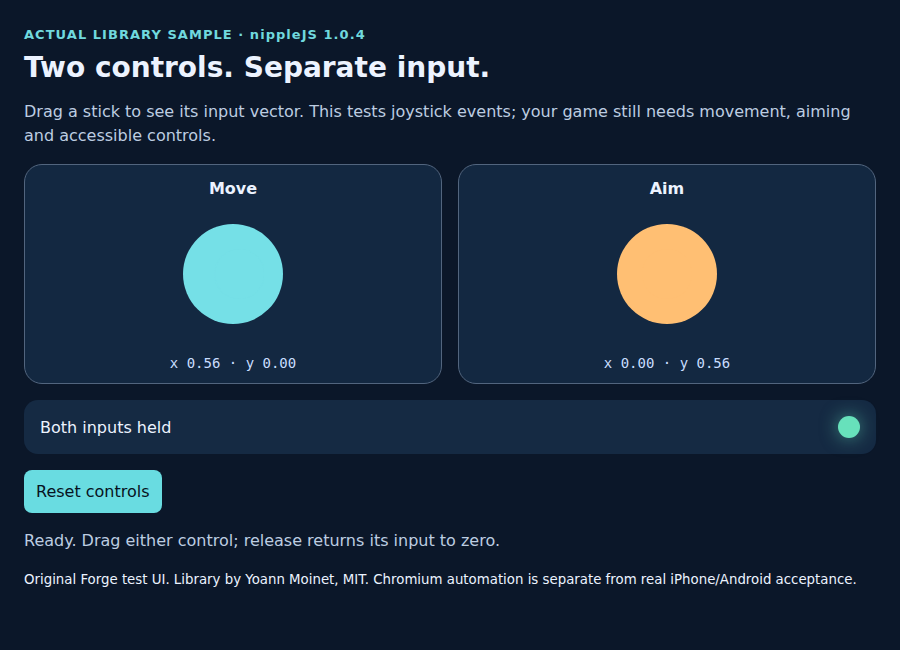
nippleJS · browser touch controls
JavaScript virtual joystick for browser touch controls, including separate move and aim inputs.
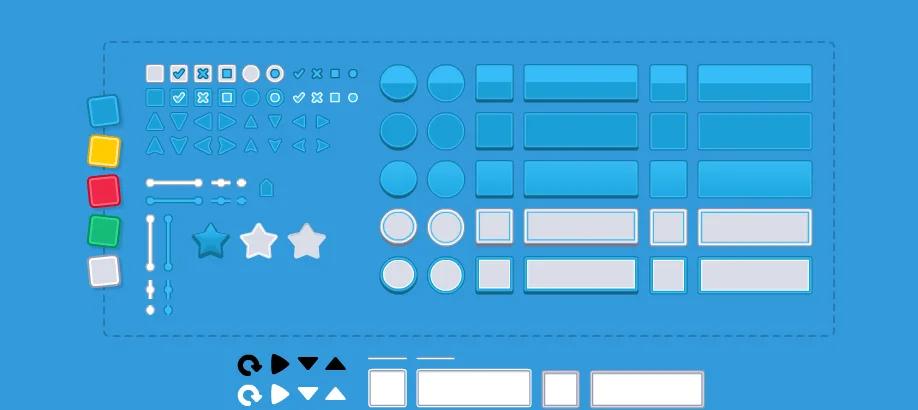
UI Pack
Interface artwork for buttons, panels and sliders.
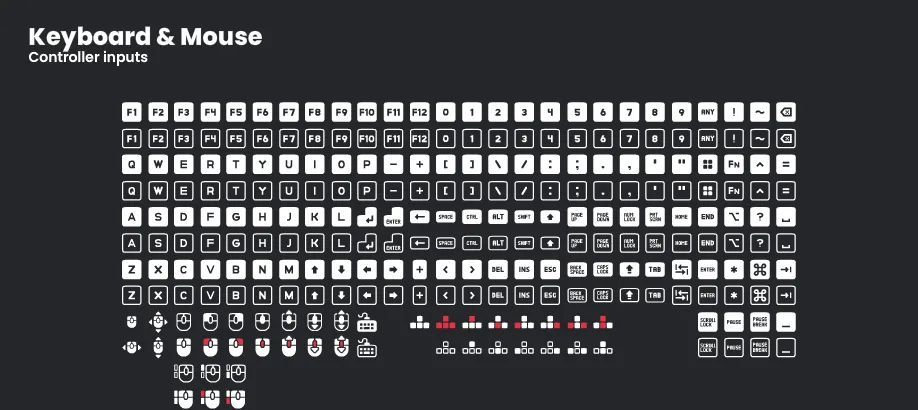
Input Prompts
Control glyphs that show players which button or gesture to use.
Interface Sounds
Short sounds for buttons and menu interactions.
Check compatibility before importing
- howler.js · by GoldFire Studios / James Simpson · JavaScript · MIT. Original source ↗
- nippleJS · browser touch controls · by Yoann Moinet · JavaScript, TypeScript · MIT. Original source ↗
- UI Pack · by Kenney · OGG, PNG, SVG · CC0-1.0. Original source ↗
- Input Prompts · by Kenney · PNG, SVG · CC0-1.0. Original source ↗
- Interface Sounds · by Kenney · OGG · CC0-1.0. Original source ↗
For each listing, review the separate permissions to sell a finished game, redistribute files and include files in a source/template product. No pack is implied to contain a complete game or all the mechanics below.
Find and add one resource prompt
Keep your prompt and selected upgrades
Guests can read and copy every prompt. Append one chosen upgrade beneath your current build brief rather than deleting the engine, themes or gameplay choices. My Forge can store and edit prompts and matching resources when account sign-in is enabled. Production sign-in is currently unavailable, so copy the prompt to a file for now. Forge matches descriptions and selected choices; it does not inspect unprovided game source.
Original technical references
The bounded update function and Coin Dash source are original BINX Forge MIT code. Retain its included notice when redistributing. Source guidance and simulated timings are separate from target-device performance.