
Make Your First Unity Game Using AI: A Step-by-Step 2D Tutorial
Make one small original 2D game: collect coins, avoid an enemy and learn the pieces you can reuse.
Verification: 24 actual C# rule checks passed. The Unity editor, Play Mode and desktop export still need native verification. The visuals below are genuine Forge captures, the included art and labelled code diagrams.
Review the complete source/art brief, or select and copy it manually.
See the complete build prompt, original source and assets
Before you start
Goal: one top-down desktop coin room. Experience: beginner; basic file copying and a code editor. Required: an eligible Unity plan/Hub, the stated editor/Input System, supplied MIT source and included CC0 idle sheet. Optional: .NET8 for separate rules checks; extra UI, legends and sounds.
No paid asset pack or paid AI subscription is required by the lesson. Unity Personal has financial/tier conditions; use the Unity listing and official terms before selecting a plan. Our script licence and the art's CC0 scope do not grant rights to Unity binaries, packages or unrelated source/template files.
Build your first Unity game in 10 steps
Plan one tiny game with Forge
Start with one room, one player, three coins and one patrol. In Build a Game choose Unity · 2D · Desktop · Top-down · Solo · Collecting. The preset keeps those choices and this guide's complete source/art inventory. Forge prepares the prompt; your coding AI explains or edits the project only when it has access.
Start with Build a Game · Refine your own small concept
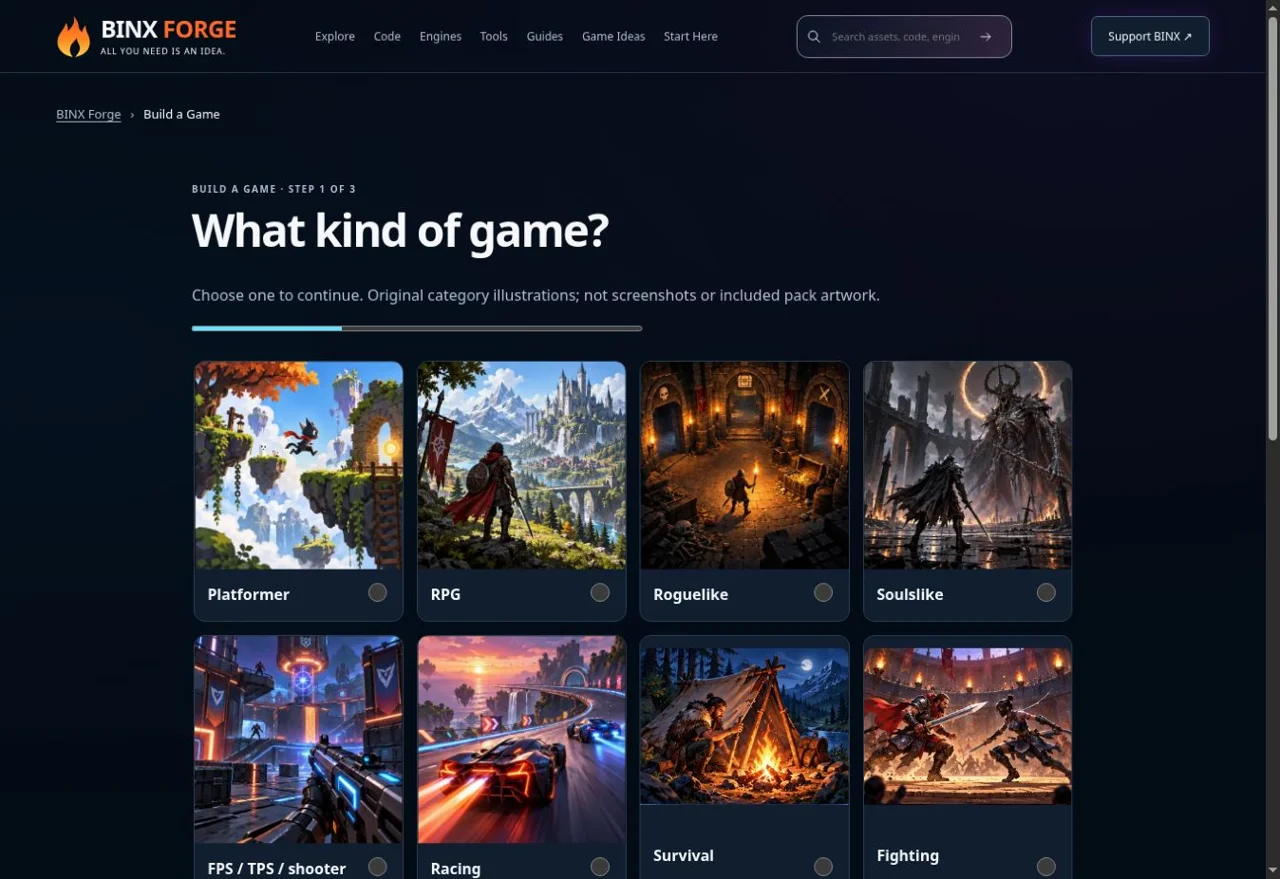
Genuine existing Forge capture, 10 October 2026. This shows the planner, not Unity or this tutorial game. Choose the Unity preset linked above. Install a pinned editor and create a fresh 2D project
Install Hub from Unity's original site. This source-guided example targets Unity 6.3 LTS, 6000.3.24f1, a stated reference patch. Check the linked release notes and your eligible plan. In Hub create a new 2D (Built-in Render Pipeline) project named CoinRoom. Keep your working game in its own project/branch.
In Window → Package Manager, install com.unity.inputsystem 1.20.1, the released package listed by Unity's current 6000.3 manual. Under Edit → Project Settings → Player → Other Settings → Active Input Handling, choose Input System Package (New); restart when requested. The Keyboard API source linked below is version1.17 background, not the installation pin. Universal 2D needs its own material/pipeline check.
Expected: the fresh editor opens and the Input System package is installed. Editor setup has not been executed by Forge here.
Import the complete starter without replacing project settings
Download all 17 starter files and extract them together. Copy
Assets/ForgeStarterinto your new project'sAssetsfolder. Keepchecksoutside Assets. Unity generates its own .meta files. Leave your project's Packages and ProjectSettings intact.Wait for compilation; open Window → General → Console and fix red errors first. Use Forge → Create Coin Room Scene. Its editor helper imports the free art, generates one original white shape texture, creates/wires the objects and saves
Assets/ForgeStarter/Scenes/CoinRoom.unity. It prompts before replacing its own existing scene and preserves other shared build scenes.Expected: the scene contains Coin Room, Player, five walls, three coins, Red Patrol and Main Camera. A menu message confirms scene creation only; inspect and test it yourself.
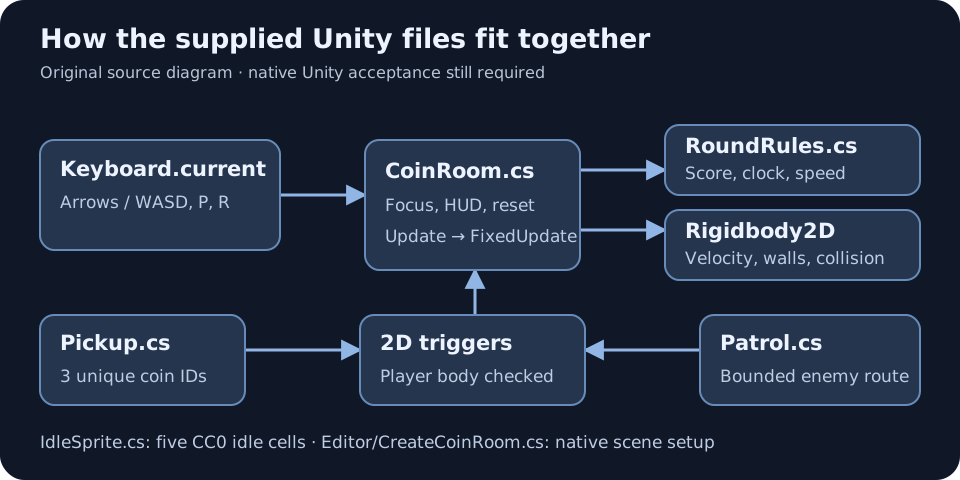
Original component diagram of the supplied code, not a Unity editor screenshot. The editor helper wires these exact references. Read the scripts before asking AI to change them
RoundRules.csowns score, timer, pause and terminal states without an engine dependency.CoinRoom.csadapts keyboard events and fixed physics updates.Pickup.csandPatrol.csuse native 2D trigger callbacks.IdleSprite.cscreates/destroys five runtime sprite cells.Editor/CreateCoinRoom.csbelongs in Editor so UnityEditor APIs stay out of the player build.Open those files with your code editor. Paste the complete build prompt into your chosen AI; ask it to explain one component before extending it. ChatGPT, Claude, Gemini or another assistant can help, but generated edits still need your project checks.
Expected: you can identify the file responsible for each behaviour rather than replacing the whole game to fix one bug.
Move with native 2D physics and solid walls
Enter Play Mode and focus the Game view. Use arrows or WASD. Input is read during Update; normalized velocity is assigned to the player's
Rigidbody2D.linearVelocityduring FixedUpdate. Gravity is zero, rotation is frozen and the five walls use BoxCollider2D. Avoid transform-based movement that bypasses collision.RoundRules.Movement(intent.x, intent.y, out double x, out double y); player.linearVelocity = Active ? new Vector2((float)x, (float)y) : Vector2.zero;Check: diagonals are no faster, releasing stops movement and every wall/divider blocks the player. These engine behaviours need the native checklist; the console test proves only the movement calculation.
Use the included free art and add only matching extras
The baseline includes David Harrington's exact 160×32 CC0 strip: five 32×32 idle frames, its cell metadata and source credit. The scene helper sets Sprite import, Point filtering, no mipmaps, uncompressed texture and Read/Write. IdleSprite creates those five cells at 10FPS. It does not claim they are walk/run frames.
Inspect the actual strip below. Keep
Art/ART-SOURCE.txt. For a walk cycle, obtain permitted matching frames from the original artist and change the animation code deliberately. UI/input legends/sounds from the resource listings are optional; download them from their credited creators.
The actual required CC0 art bytes, reused from the verified Forge source archive. This is an asset strip, not Unity gameplay. Its Unity import still needs editor acceptance. Check: five distinct idle frames play, remain sharp and pause with the round.
Collect three coins and avoid one bounded enemy
The gold coins have trigger BoxCollider2D components and unique IDs0–2. Pickup checks the player's attached Rigidbody2D before calling Collect, then deactivates the collected coin. One coin scores once. Red Patrol is a kinematic Rigidbody2D trigger; MovePosition keeps it between x=-1 and x=3 at y=-2. Contact ends an active round.
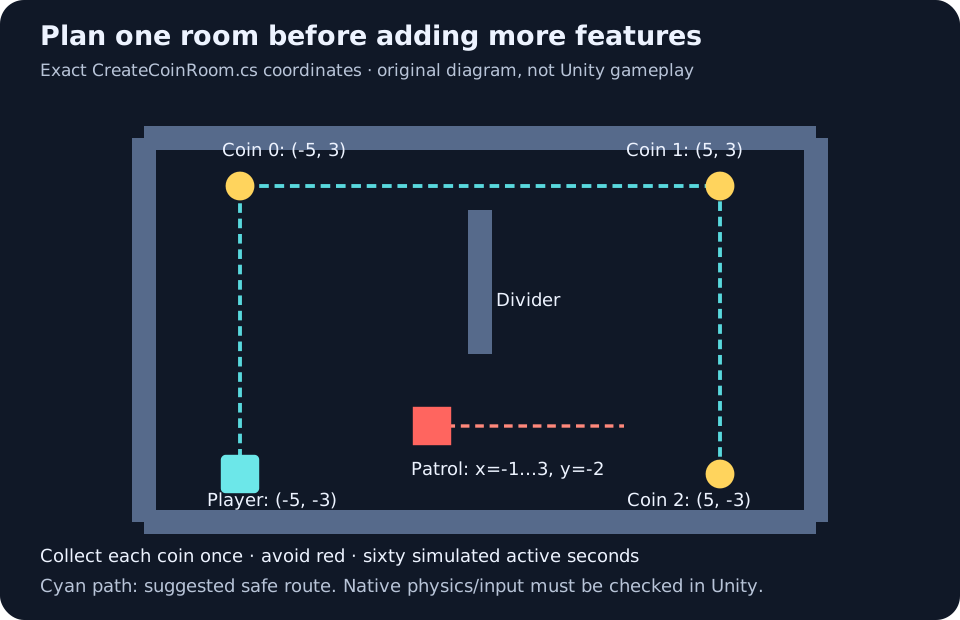
Original level plan derived from CreateCoinRoom.cs coordinates, not a Unity gameplay capture. Move up the left side, above the divider, across to the right and then down to collect safely. Check: collect all three through real movement to win; restart and touch the patrol to lose. Use Collider2D/Rigidbody2D throughout; 3D callbacks are a different system.
Make score, endings, pause and restart reliable
The HUD shows score, remaining active seconds, state and controls. A round wins after three distinct coins or loses on patrol contact/timeout. P pauses movement, animation and the clock. Losing focus pauses and clears input; press P when back to resume. R or Restart resets coin identities, player spawn, patrol, score and sixty-second clock.
Check: score/timer stop after both endings; restarting from play, pause, win and loss works repeatedly. The clock caps each elapsed update at0.1s and drops longer stalls: active simulated time, not a wall-clock promise.
Run the C# checks, then verify Unity separately
With a .NET8 SDK, run the console checks from the extracted folder:
dotnet run --project checks/RulesChecks.csproj --configuration ReleaseThe actual supplied RoundRules.cs was compiled with official SDK8.0.425/Roslyn and passed 24 C# checks: unique pickups, both endings, terminal guards, pause, restart, invalid/stall time, equal diagonal speed and one-second timing at15/30/60/120 updates. The recorded environment uses the direct compiler runner; it does not demonstrate your editor or the normal dotnet CLI command.
Now follow the native Unity checklist: real movement/walls, triggers, idle art, focus, timer, repeated resets, viewport and desktop build. Record Console errors and screenshots from your actual machine. Unity compilation/import/Play Mode/input/physics/render/export acceptance is still OPEN.
Build a desktop version, then improve one system
In File → Build Profiles, select your desktop target. If its support module is absent, install the matching editor-version module in Hub. Check the active profile's scene list: enable
CoinRoom.unity; custom profiles can override the shared list. Build a Development version into a separate folder, run it outside Unity, and repeat the native checklist.Keep the first release small. Choose one upgrade below: real walk animation, pickup feedback or clearer UI. Test it before the next change. Web, touch/mobile controls, saving, multiplayer and publishing a BINX.fun game are separate extensions.
Expected: a verified desktop game on your machine. Forge has not produced or run that native build here.
Every required starter file
Download the complete 17-file starter ZIP · MIT scripts licence · Original art source and CC0 provenance
This is an Assets overlay and separate console checks, not a pre-exported game or an editor installation. Unity creates its native project, metadata, white texture and scene through the explicit steps above.
Open individual source files
- Assets/ForgeStarter/RoundRules.cs
- Assets/ForgeStarter/CoinRoom.cs
- Assets/ForgeStarter/Pickup.cs
- Assets/ForgeStarter/Patrol.cs
- Assets/ForgeStarter/IdleSprite.cs
- Assets/ForgeStarter/Editor/CreateCoinRoom.cs
- Assets/ForgeStarter/Art/forge-sprites.png
- Assets/ForgeStarter/Art/forge-sprites.json
- Assets/ForgeStarter/Art/ART-SOURCE.txt
- checks/RulesChecks.csproj
- checks/NuGet.Config
- checks/Program.cs
- README.md
- ACCEPTANCE.md
- versions.json
- LICENSE.txt
- files.mjs

Common failures and fixes
- Input namespace missing or no movement
- Install the specified Unity Input System package, enable New input handling, restart if requested, clear Console errors and focus the Game view. P resumes a paused round; do not mix old Input.GetKey instructions into this source.
- Forge menu missing
- CreateCoinRoom.cs must stay inside Editor. Clear compilation errors before using the menu. Keep checks outside Assets.
- Coins or walls do nothing
- Verify native 2D components and collision layers; the player needs its dynamic Rigidbody2D, wall colliders must be solid and coins/patrol must be triggers. Keep the serialized room/player references.
- Missing sprite or wrong scene in build
- Copy every Art file and inspect import settings. Check the active Build Profile's scene list and matching target module; the shared scene list alone may not control a custom profile.
Use the debug prompt below with the precise error and failing checklist item.
Useful debug and upgrade prompts
Debug one failing step
Upgrade one system
Building blocks from original creators
Start with the free edition where it fits. Paid editions and services are optional; inspect current prices, licence conditions and engine versions. Preview credits appear on each resource card.
Unity
Game-development editor with a free eligible Personal plan and paid plans for larger teams or finances.

Simple animated character
Top-down pixel character sheets for movement and attacks; slicing and game logic required.
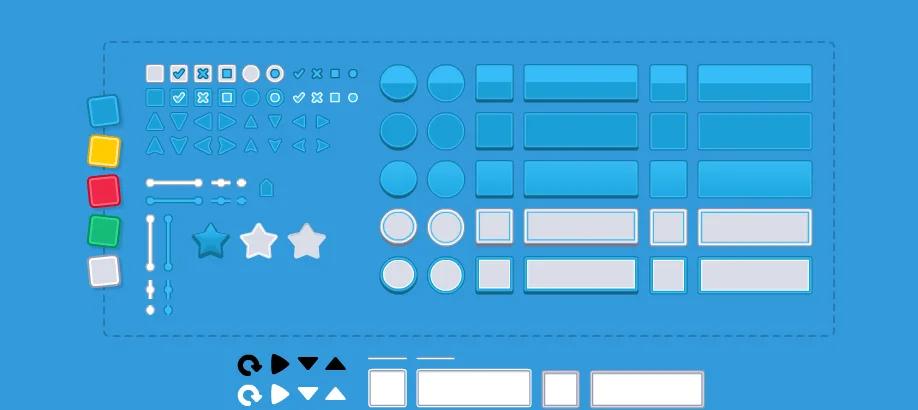
UI Pack
Interface artwork for buttons, panels and sliders.
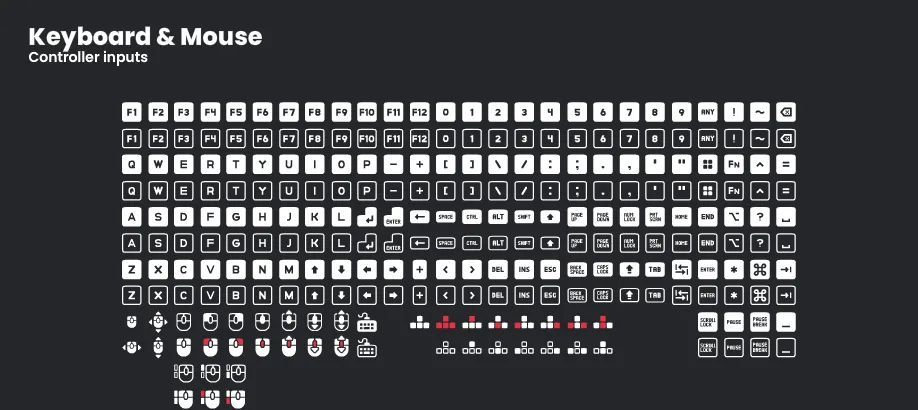
Input Prompts
Control glyphs that show players which button or gesture to use.
Impact Sounds
Short impacts and footsteps for action feedback and surface changes.
Check compatibility before importing
- Unity · by Unity Technologies · See source for formats · Unity proprietary software terms. Original source ↗
- Simple animated character · by Danilo Mattos · PNG · CC0-1.0. Original source ↗
- UI Pack · by Kenney · OGG, PNG, SVG · CC0-1.0. Original source ↗
- Input Prompts · by Kenney · PNG, SVG · CC0-1.0. Original source ↗
- Impact Sounds · by Kenney · OGG · CC0-1.0. Original source ↗
For each listing, review the separate permissions to sell a finished game, redistribute files and include files in a source/template product. No pack is implied to contain a complete game or all the mechanics below.
Make Your Game Better
Start with the exact included art and Unity's native physics. Add one permitted walk cycle, pickup sound or clearer HUD using a matching free resource; inspect import formats and separate licences. Unity's paid plans address eligibility/features rather than a promised quality percentage. Catalogue ranking is independent of payment.
Plan one upgrade · Debug and improve an existing AI game · Try the native-tested Godot alternative · Learn reusable engine boundaries
Production sign-in is currently unavailable; build and copy as a guest. Keep source and prompts on your device. My Forge plans and game progress are separate.
Learn from original sources
- Unity Hub and editor installation ↗
- Pinned Unity 6.3 LTS reference patch ↗
- Input System package for Unity 6.3 ↗
- Keyboard API ↗
- Rigidbody2D linearVelocity ↗
- 2D trigger callback ↗
- Build Profiles ↗
- Unity editor and runtime terms ↗
- David Harrington: original CC0 character ↗
Versioned publisher documentation supports setup/API guidance; it does not replace running your project. No native Unity screenshot, physics success, export, independent AI-output test or search-volume/ranking claim is implied.