
How to Build Your Own Game Engine Using AI: A Small 2D Core
Reuse a working browser game, split it into clear modules and run two rooms with optional sound and local checkpoints.
Difficulty: intermediate beginner. Goal: turn a small working browser game into reusable modules, then run two rooms through the same core. You need basic functions, objects, imports and a text editor. Start with the simpler three-file browser tutorial if those ideas are new.
The build preset keeps Puzzle, Collecting, 2D, Stylised, Browser, top-down, solo, free-only and a custom/browser engine. Review the generated plan, copy it to your AI, and keep your selected stack. Forge provides a plan and source-reviewed resources; it does not run an AI build or inspect unprovided game code.
What should your first engine do?
An engine is reusable code that supports a game. For this lesson, the deliverable is a small Canvas 2D core: input, drawing, movement, collision, simple visual animation, room state, optional sound and a local checkpoint. It has no editor, rigid-body physics, 3D renderer, networking or native exporter. It is separate from the production BINX Engine.
If your goal is to finish a game quickly, need an editor or want established export tooling, inspect Godot, Defold and the engine comparison first. These are alternative project paths, not drop-in modules for this Canvas example. Keep a working compatible engine. Choose this lesson when understanding and reusing a small browser loop is your actual goal.
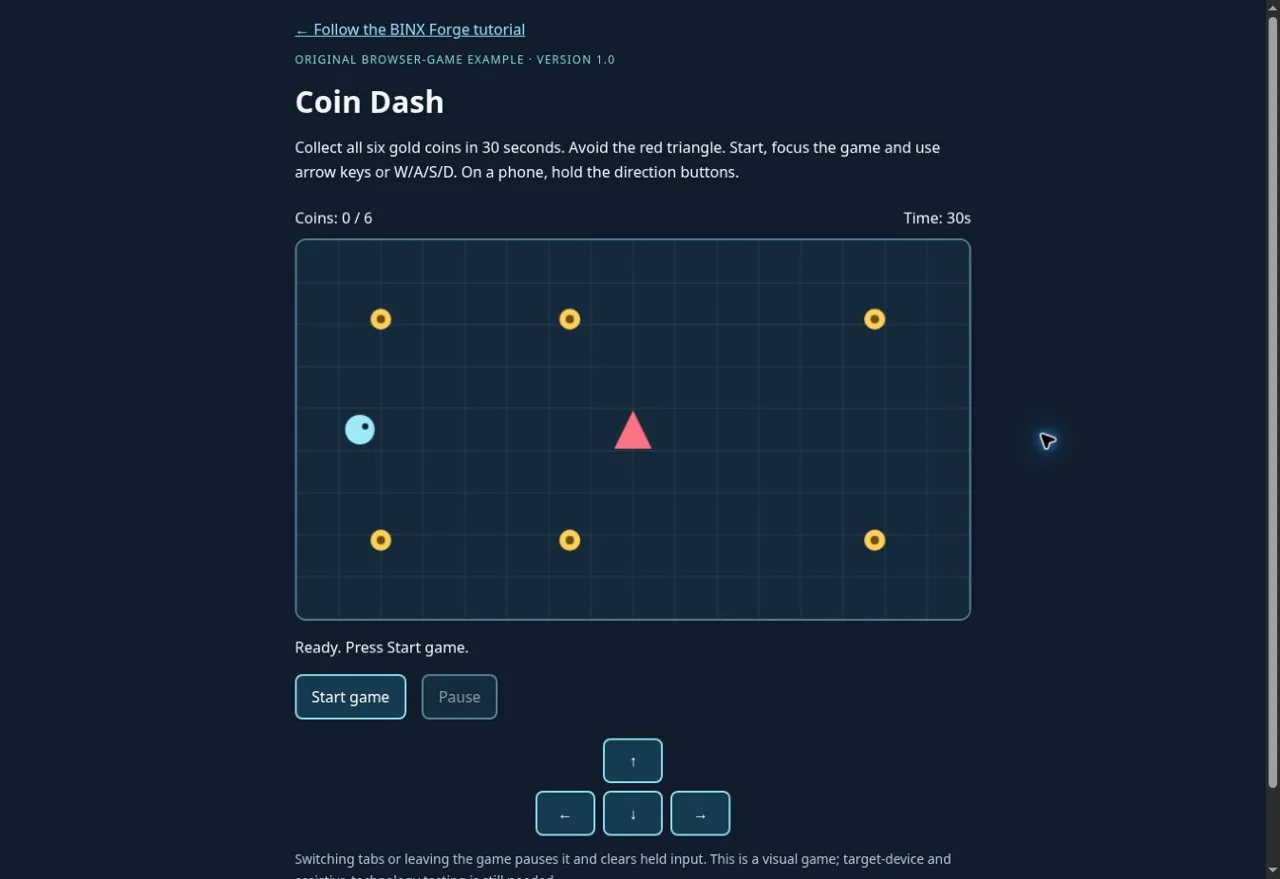
Build a small reusable engine, one boundary at a time
Download a complete baseline
Extract the ZIP into an empty
pocket-enginefolder. Keep themodulesdirectory intact. OpenREADME.mdand retainLICENSE.txt. No npm install, paid asset, API key or account is required. Node 24.19.0 was used for the shipped helper/tests; use a current browser with Canvas, ES modules and Pointer Events. Native browser/device acceptance is separate from the automated checks.Before editing, duplicate the folder. If you already have a game, copy its working version and inspect its existing systems instead of replacing it with this example.
Run from HTTP and check the files
Open a terminal in the extracted folder, run
node check.mjs, thennode serve.mjs. Openhttp://127.0.0.1:8080. The checks should report 13 passes; the page should show Courtyard, six-coin goal and Start game. Stop the local helper with Ctrl+C. If port 8080 is in use, runnode serve.mjs 8081and open that port.Do not double-click index.html: ES modules need HTTP and JavaScript MIME. This is different from the original Coin Dash classic script. The helper serves only the listed files on your own computer; it is a development convenience, not public hosting. Browser-control was unavailable for this release, so check the visible result yourself on your target browser.
Identify the one frame owner
Read
main.mjs. Its frame callback reads input, callsscenes.update, draws, then schedules the next frame. Start, restart and next-room buttons replace state; they never create another frame loop. A hidden tab or blur clears input and pauses. Resume resets the previous timestamp. Page hide cancels scheduling and page show resumes one paused loop.The shared
advanceFrameaccepts at most 0.1 seconds and splits it into at most ten updates, each no larger than 0.01 seconds. Normal simulated 15/30/60/120 FPS movement covers 180 world pixels per second. This is timing consistency, not a real-device FPS result. Longer stalls deliberately drop elapsed time; the 30-second timer is simulated active time, not a wall-clock competition deadline.Keep input separate from movement
In
input.mjs, keyboard handlers only capture game keys while the canvas or direction control has focus. Held pointers are tracked by pointer ID and removed on release, cancel and lost capture. Blur/hidden-tab handling clears them. The module exposesread(),clear()anddestroy(); destroying removes its listeners.In
world.mjs, input becomes a direction. The vector is normalised so diagonals do not move faster. Player coordinates are clamped within the 640×360 world using the collision radius. Test left/right/up/down and a diagonal; then press against each boundary. Do not use CSS display dimensions as world coordinates.Make collision and outcomes simulation responsibilities
stepmoves the player and horizontal patrol, reduces remaining time, tests circle overlap and collects uncollected coins. A collision or timeout ends the run; all six coins produce a win. Rendering cannot collect a coin. The triangle is visual only: its collision shape is a circle of radius 18, so check the forgiving geometry before designing narrow passages.Use the actual outer-edge route to win: move up to the top row, across to the right, down to the bottom row, then left. The enemy stays along the centre. Test touching it, running out of time and returning to an already collected coin. Scores should change once per pickup.
Draw without mutating the world
render.mjsdraws the grid, player, patrol and coins from state. Its four-phase animation changes the coin centre at six phases per second, using simulation age. Coin collision radius stays 10. Pausing stops animation age; a reduced-motion preference uses the static first phase. This teaches frame selection without importing a sprite sheet or rig.After it works, replace one visual with a permitted image while keeping its collision body. A sprite sheet also needs exact frame rectangles, an importer and loading failures; this example does not claim those features. Keep state changes out of draw functions.
Reuse the core for a second room
Read
rooms.mjs: Courtyard and Gallery contain different coin positions.scenes.mjsowns the current state.start()makes fresh data;pause()andresume()change the active mode.next()is allowed only after winning Courtyard and starts Gallery with a fresh timer and score.Win Courtyard, choose Next room, win Gallery, restart and repeat. The world/input/render implementations are shared. To practise, change one Gallery coin coordinate within the world, run checks and the actual browser, then restore the baseline. For a third room, update scene progression, UI and save compatibility together; adding data alone is not enough while the interface deliberately names two rooms.
Add optional sound through a user action
Open Local checkpoint and sound, then enable sound.
audio.mjscreates/resumes an AudioContext through that click and synthesises a short original tone. Sound starts off. The module caps active voices at four, releases oscillator/gain nodes when they end and stops them on mute/pause. Failed or missing audio does not stop the game.Check enable, pickup, mute, tab-away and repeated pickups on your actual device. The automated check uses an audio test double; it cannot verify audible output or autoplay policy. No third-party audio, microphone permission or external sound download is involved.
Save only a small, versioned checkpoint
During play, Save checkpoint pauses and writes one explicitly chosen checkpoint to this browser's
localStorage. It stores version 1, room, elapsed/remaining simulation time, player/enemy position/direction and collected flags. Load validates supported fields, bounds coordinates, recalculates score and restores paused; Resume is a separate action. The decoder never evaluates code.Save after a pickup, reload the page, load, check the same room/score and resume. Try blocked/full storage and an invalid save. The existing run should remain usable. Delete removes only this example's key, never
localStorage.clear(). This local save is editable, can be lost, stays at this origin/browser and is unsuitable for trusted online scores. It is separate from My Forge or cloud account saving.Publish the static files and retest
Keep the relative paths. Upload
index.html, CSS,main.mjs,files.mjsand themodulesdirectory to your existing HTTPS static host. No bundle build is required. Ensure.mjsresponses use a JavaScript MIME type. Node's local helper is not a deployed backend. Check the exact published URL, including under a repository subdirectory.Repeat keyboard/touch cancellation, two-room win/loss/restart, tab pause, reduced motion, opt-in/mute and save/load/denial on the actual host. Local checkpoints at a different origin do not transfer automatically. Keep the MIT notice with redistributed code and review separately licensed additions before release.
Build prompt for your AI
Review the prompt and add only project context you choose to share.
Refactor your existing browser game
A module should own one responsibility
| Module | Owns | Check |
|---|---|---|
| world.mjs | Movement, bounds, circle collision, patrol, score and bounded updates | Compare one second of straight input; test collision and timeout. |
| input.mjs | Focused keyboard, pointer holds/cancellation and listener cleanup | Use WASD on canvas, type in another field, cancel a held touch. |
| render.mjs | Canvas drawing and four-phase coin animation | Rendering leaves state unchanged; reduced motion fixes the phase. |
| scenes.mjs | Ready, running, paused, won/lost and next-room state | Win the Courtyard, load Gallery, lose, restart and pause. |
| audio.mjs | Opt-in original tones and a four-voice limit | Enable/mute; blocked audio leaves the game playable. |
| storage.mjs | Explicit versioned local checkpoint and validation | Save, reload paused, deny storage, delete only this key. |
| rooms.mjs | Two room definitions separated from implementation | Change coin positions without duplicating movement or input. |
main.mjs connects those APIs to the interface. The room data imports no browser features. The pure world can run in Node. Input, Canvas and audio are browser adapters; their module tests use doubles and do not prove native interaction.
Read the complete room, scene and world source
modules/rooms.mjs
/* Pocket Engine1.0 · Copyright (c) 2026 BINX Forge · MIT. */
// Game data stays outside the reusable movement/timing module.
export const ROOMS = Object.freeze([
  {id:'courtyard', name:'Courtyard', coins:[[80,75],[260,75],[550,75],[550,285],[260,285],[80,285]]},
  {id:'gallery', name:'Gallery', coins:[[80,55],[320,55],[560,55],[560,305],[320,305],[80,305]]}
].map(room=>Object.freeze({...room,coins:Object.freeze(room.coins.map(p=>Object.freeze(p)))})));
modules/scenes.mjs
/* Pocket Engine1.0 · Copyright (c) 2026 BINX Forge · MIT. */
import {newGame,advanceFrame} from './world.mjs';
import {ROOMS} from './rooms.mjs';
export function createScenes() {
  let state=newGame();
  return Object.freeze({
    get state(){return state;},
    start(room=state.room){const definition=ROOMS.find(r=>r.id===room);if(!definition)throw Error('Choose a listed room.');state=newGame(definition);state.status='running';return state;},
    pause(){if(state.status==='running')state.status='paused';},
    resume(){if(state.status==='paused')state.status='running';},
    next(){if(state.status!=='won')return false;const index=ROOMS.findIndex(r=>r.id===state.room);if(index===ROOMS.length-1)return false;this.start(ROOMS[index+1].id);return true;},
    restore(checkpoint){state=structuredClone(checkpoint);state.status='paused';return state;},
    update(input,elapsed){return advanceFrame(state,input,elapsed);}
  });
}
modules/world.mjs
/* Pocket Engine1.0 · adapted from BINX Forge Coin Dash Timing1.1 · MIT; see ../LICENSE.txt. */
import {ROOMS} from './rooms.mjs';
const WIDTH = 640, HEIGHT = 360, SPEED = 180;
const clamp = (value, min, max) => Math.max(min, Math.min(max, value));
const overlaps = (a, b) => Math.hypot(a.x - b.x, a.y - b.y) <= a.r + b.r;
function newGame(scene = ROOMS[0]) {
  return {
    status: 'ready', score: 0, remaining: 30, room: scene.id, age: 0,
    player: { x: 60, y: 180, r: 14 },
    enemy: { x: 320, y: 180, r: 18, direction: 1 },
    coins: scene.coins
      .map(([x, y]) => ({ x, y, r: 10, collected: false }))
  };
}
// All simulation changes live here. Rendering and input do not award points.
function step(state, input, elapsed) {
  if (state.status !== 'running') return state;
  const dt = clamp(Number.isFinite(elapsed) ? elapsed : 0, 0, 0.05);
  let dx = (input.right ? 1 : 0) - (input.left ? 1 : 0);
  let dy = (input.down ? 1 : 0) - (input.up ? 1 : 0);
  const length = Math.hypot(dx, dy);
  if (length) { dx /= length; dy /= length; }
  const p = state.player;
  p.x = clamp(p.x + dx * SPEED * dt, p.r, WIDTH - p.r);
  p.y = clamp(p.y + dy * SPEED * dt, p.r, HEIGHT - p.r);
  const e = state.enemy;
  e.x += e.direction * 110 * dt;
  if (e.x >= 510) { e.x = 510; e.direction = -1; }
  if (e.x <= 130) { e.x = 130; e.direction = 1; }
  state.age += dt;
  state.remaining = Math.max(0, state.remaining - dt);
  if (overlaps(p, e) || state.remaining === 0) { state.status = 'lost'; return state; }
  for (const coin of state.coins) {
    if (!coin.collected && overlaps(p, coin)) { coin.collected = true; state.score++; }
  }
  if (state.score === state.coins.length) state.status = 'won';
  return state;
}
// Process ordinary slow frames without discarding their elapsed time.
// At most ten updates of at most 0.01 seconds; longer stalls deliberately lose time.
function advanceFrame(state, input, elapsed) {
  if (state.status !== 'running') return state;
  const dt = clamp(Number.isFinite(elapsed) ? elapsed : 0, 0, 0.1);
  const updates = Math.ceil(dt / 0.01);
  for (let i = 0; i < updates && state.status === 'running'; i++) step(state, input, dt / updates);
  return state;
}

export {WIDTH,HEIGHT,SPEED,clamp,overlaps,newGame,step,advanceFrame};
All 15 source and helper files
- index.html
- game.css
- main.mjs
- files.mjs
- modules/world.mjs
- modules/rooms.mjs
- modules/scenes.mjs
- modules/input.mjs
- modules/render.mjs
- modules/audio.mjs
- modules/storage.mjs
- serve.mjs
- check.mjs
- README.md
- LICENSE.txt
Download the complete original source ZIP. Retain the folder structure and MIT notice. Individual files and the ZIP contain the same source.
Prove the loop before expanding it
node check.mjs executes 13 checks against the shipped modules: frame-rate movement, actual wins in both rooms, pause/restart isolation, invalid/stall time and bounds, collision/timeout/pickup, render/animation purity, checkpoint round-trip, invalid-save refusal, storage failure isolation, input release/cleanup, bounded audio ownership and complete local HTTP/MIME delivery.
Run it again after one small change. Keep automated simulation/adaptor checks separate from real browser, audible sound, physical phone, screen reader and published-host checks. Independent AI build/debug/upgrade prompt outcomes were not executed for this tutorial. The public files let you reproduce the tests without this repository or an account.
Common failures and the first useful check
- Start stays disabled or an import is blocked
Run the local HTTP helper; do not double-click HTML. Keep every module under its exact path/case. Inspect the first Console and Network error; verify JavaScript MIME.
- Speed increases after restarting
Check for duplicate frame scheduling or listeners. Scene changes must replace state, not run startup again. Reset the previous timestamp on resume.
- Keys move the game while typing
Keep capture scoped to the focused canvas/direction controls. Clear held input on blur and hidden tabs. Test pointercancel and lost capture.
- Next room is unavailable
Finish all six coins in Courtyard first. Losing does not advance; Gallery is the final room.
- Sound is silent
Use the enable button, then inspect browser autoplay/device output and AudioContext availability. Optional sound failure must not block play.
- A checkpoint disappeared or cannot load
Confirm browser and origin, version and room. Storage can be denied/cleared or private-session scoped. Start a fresh run; do not overwrite unrelated keys or treat a malformed save as executable code.
- New coins break the save or win test
Update the room definition, compatible schema/version and test expectations together. Existing version1 validates exactly six flags; do not silently accept incompatible arrays.
Debug one module
Building blocks from original creators
Start with the free edition where it fits. Paid editions and services are optional; inspect current prices, licence conditions and engine versions. Preview credits appear on each resource card.
howler.js
JavaScript playback, sound sprites and spatial audio for browser games.
Starter code included. Library setup still required.
Review code & AI brief
Review or copy the code here. No account needed.
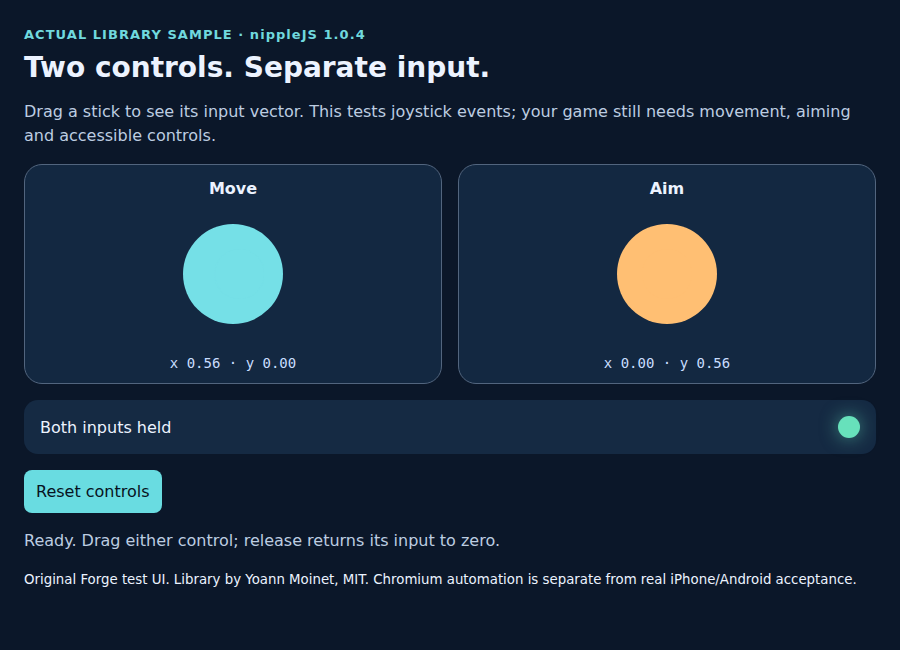
nippleJS · browser touch controls
JavaScript virtual joystick for browser touch controls, including separate move and aim inputs.
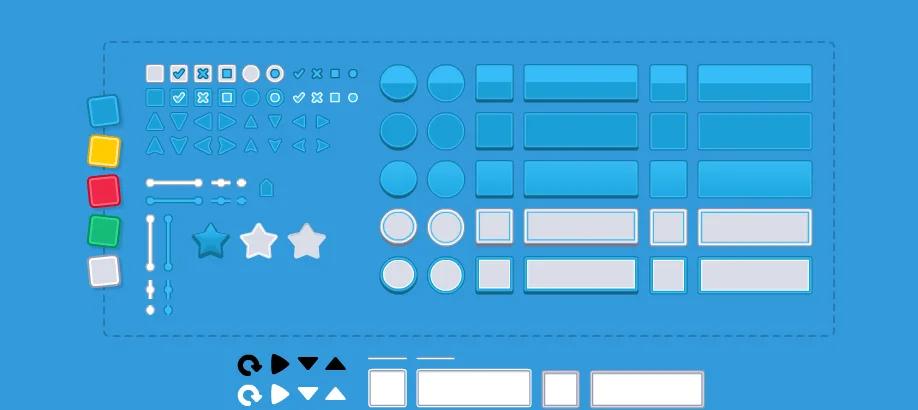
UI Pack
Interface artwork for buttons, panels and sliders.
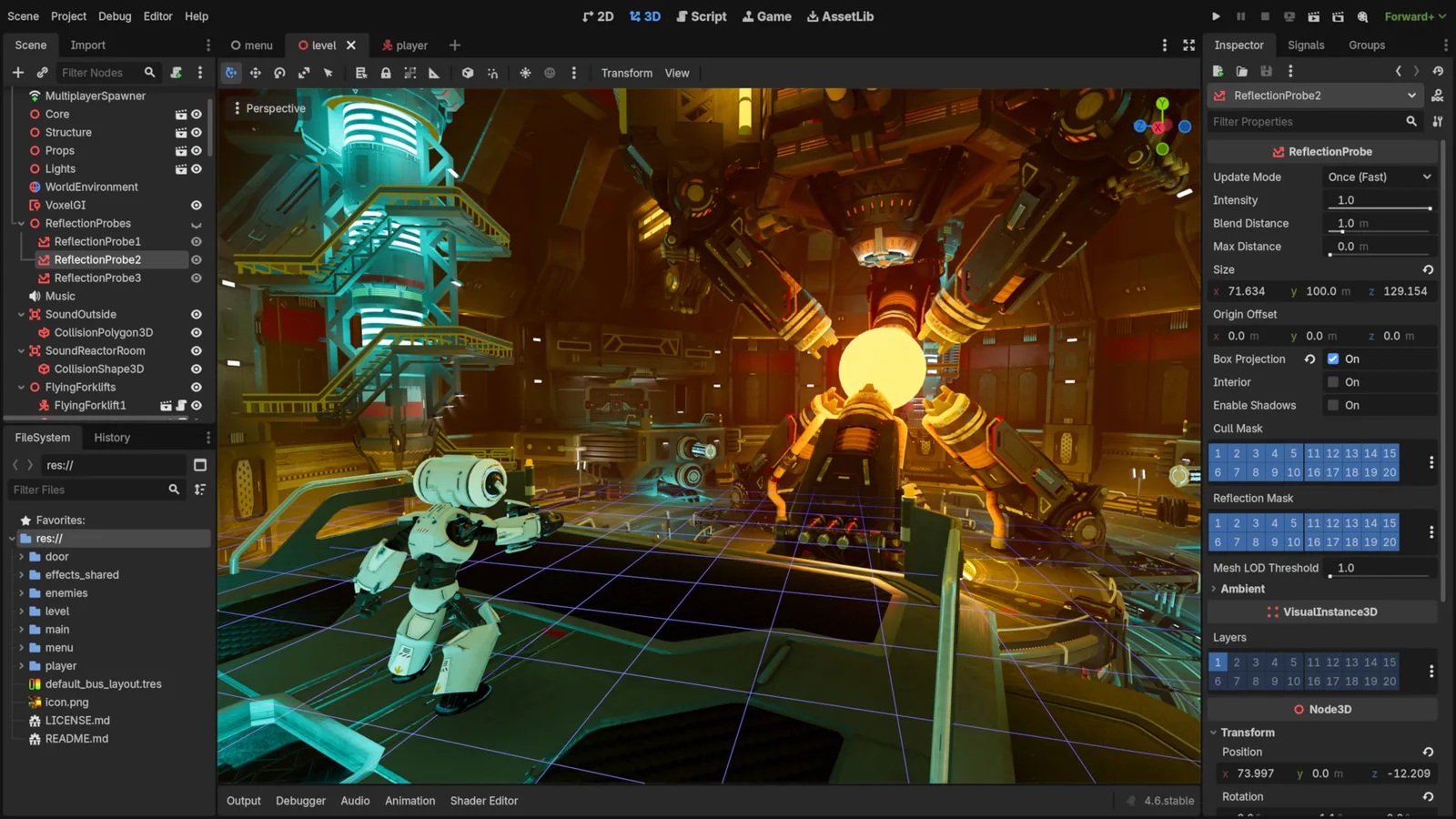
Godot Engine contributors · Original screenshot ↗ · CC BY 4.0 ↗. Resized and compressed.
Godot Engine contributorsGodot
Free, open-source game editor for 2D and 3D projects, with scene, animation and interface tools.
Defold
Free, source-available engine with Lua scripting, visual scene tools and HTML5, mobile and desktop exports. Strong 2D focus; 3D needs its own project checks.
Check compatibility before importing
- howler.js · by GoldFire Studios / James Simpson · JavaScript · MIT. Original source ↗
- nippleJS · browser touch controls · by Yoann Moinet · JavaScript, TypeScript · MIT. Original source ↗
- UI Pack · by Kenney · OGG, PNG, SVG · CC0-1.0. Original source ↗
- Godot · by Godot Engine contributors · See source for formats · MIT. Original source ↗
- Defold · by Defold Foundation · Lua · Defold License 1.0. Original source ↗
For each listing, review the separate permissions to sell a finished game, redistribute files and include files in a source/template product. No pack is implied to contain a complete game or all the mechanics below.
Make Your Game Better
Keep the tested core. Choose one missing capability, preserve a baseline and test the smallest addition. No creator packs or code libraries are bundled in this example.
- Kenney UI Pack: free CC0 visual controls from the creator. Inspect exact formats and separate font/branding terms; change visuals without changing input state.
- howler.js: optional MIT browser audio when real audio-file playback fits better than tones. Reuse the existing one-button sound example and retain separate sound-file licences.
- nippleJS: optional browser joystick input. Try the existing walkthrough first. Its vector still needs movement/collision integration.
- Godot or Defold: consider established authoring/runtime tools when your requirements exceed a small browser core. Review exact engine/dependency rights; Defold's licence has engine-product commercialisation restrictions, so do not treat it as MIT or copy it into a commercial engine product.
The sample requires no purchase. For a paid editor or pack, identify the missing capability first and check the exact current edition and permitted target. Price is not proof of a better engine. Compare free and plan-dependent alternatives before spending.
Plan one compatible resource upgrade
Improve a working game with before/after tests · Plan a small puzzle · Return to Build a Game
Guests can read, build and copy without an account. Production sign-in is currently unavailable; keep prompts and source on your device. This example’s local checkpoint is not My Forge saving.
Original instructions and licence
Original code, drawn shapes and generated tones use the included MIT notice. Retain it for redistribution of covered source or substantial portions. Added code/art/audio/fonts and engine binaries have separate terms; game sales, raw-file redistribution and source/template products are different permissions. Forge does not own third-party creator resources.
- MDN: JavaScript modules ↗
- MDN: Canvas tutorial ↗
- MDN: requestAnimationFrame ↗
- MDN: Web Audio best practices ↗
- MDN: localStorage ↗
These sources explain the browser APIs. The example, test evidence and limitations belong to this exact Pocket Engine release; source documentation alone does not establish its browser or device acceptance.