
Turn five frames into an animation
Use a real CC0 character sample in Sprite Sheet Maker. Check the order, play the movement and export a transparent PNG with frame coordinates.
Tested 2026-10-07 · Chromium on Linux · desktop and phone-size browser viewports. Physical phones, Safari and engine import remain separate.
- STEP 1
Get five still frames
Check Simple Character Template by David Harrington and its linked CC0 terms. This sample contains only the five idle frames, not the full creator pack.
Download five example framesUnzip the download on your device. Keep SOURCE.txt; it is Forge’s provenance note, not a licence file supplied by the creator.
Check: You have idle-01.png through idle-05.png, each 32 × 32px, plus the source note.
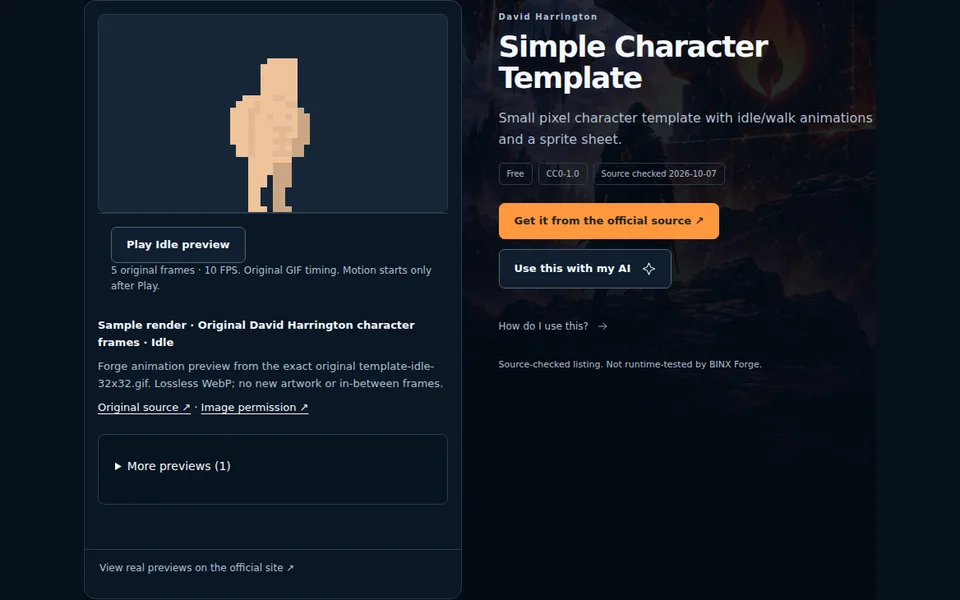
Real Forge resource page for this exact sample. Follow the creator’s official source and terms. - STEP 2
Add them and check the order
Open Sprite Sheet MakerChoose all five extracted PNGs under 1. Add PNG, WebP or JPEG frames. Use Move earlier / Move later if the numbered filenames are out of order. The tool accepts still images; do not choose the ZIP, source note or an animated GIF.
Processing stays in this tab. Your own frames are not uploaded, sent to an AI or added to analytics.
Check: The frame list reads idle-01.png through idle-05.png in that order.
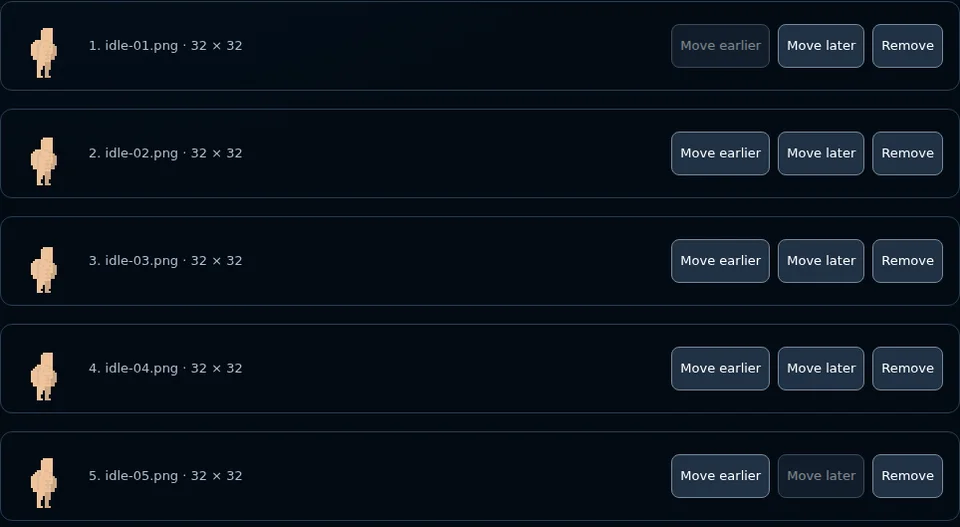
Use the numbered filenames to check order. Move earlier and Move later change the exported sequence. - STEP 3
Preserve the pixels and play
Set Columns to 5 and Animation FPS to 10. Leave width, height, padding and spacing at 0, keep Preserve original pixels and pixel-art preview selected. Press Play animation, then Pause when you finish checking.
Ten FPS matches the original idle GIF’s 100ms frame timing. For other packs, use their actual timing; this single FPS control cannot express variable per-frame durations.
Check: The sheet is 160 × 32px with five frames. Playback starts only after your action.
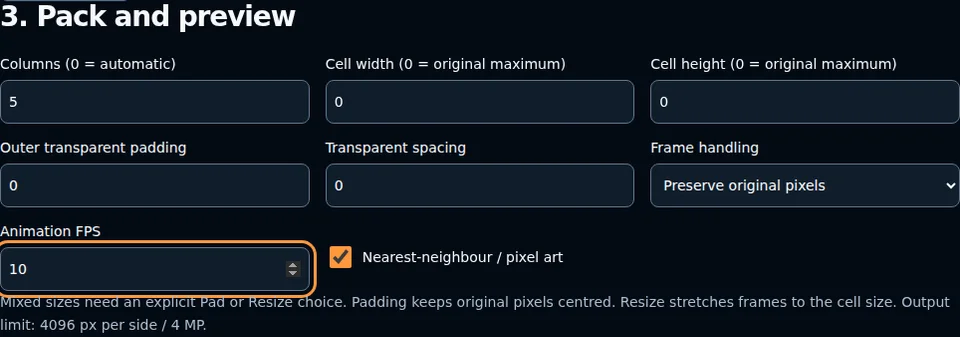
Five columns make one row. Zero cell dimensions use the original 32px size; Preserve avoids resizing. - STEP 4
Download both files and test the import
Press Download PNG and Download JSON after your final edit. The PNG has a transparent background. JSON records the order, rectangles and 10 FPS; keep it with your sheet and source note.
For this example, use 32 × 32px cells, five columns, one row and a 0.1-second frame duration in your engine’s matching animation importer. Rectangles start at x=0,32,64,96,128 and y=0. The JSON is generic; your engine may require manual settings or an adapter.
Test one idle loop in a copy of your game before connecting movement. This walkthrough verifies browser packing and reconstruction; engine playback, target-device behaviour and the rest of your game need their own tests.
Check: Both downloads describe the same five frames. Re-export both after any reorder or setting change.

Download both after the final edit. Review frame metadata contains the same coordinates as the JSON download.