
Add sound through an npm bundle
Howler.js 2.2.4 and esbuild 0.28.2. Build the browser bundle, load one permitted WAV and play it on a deliberate click.
Tested Node 24.19.0 · npm 11.9.0 · Howler 2.2.4 · esbuild 0.28.2 · Chromium · 2026-10-06. Use a copy of your project first.
Explain this with my AI- STEP 1
Start in a small browser project
Use a separate test folder before changing a larger app. If you already have a bundler, use its existing setup. This walkthrough tests one esbuild browser bundle; it does not establish compatibility with every framework or plugin.
Give your HTML a
button#play-sampleand a status element. Keep the button disabled until the sound loads.Check: You can load your test page over HTTP, and you know where its files are served.
- STEP 2
Install the exact tested packages
Use the existing MIT-licensed audio library and bundler.
npm init -y
npm install --save-exact howler@2.2.4
npm install --save-dev --save-exact esbuild@0.28.2
These are tested pins, not a claim that they are the newest versions. Keep the lockfile. Install on the platform where you build; do not copy a different platform’s node_modules folder.
Check: Your package file and lockfile record the two exact versions.
- STEP 3
Connect one deliberate click
Place a permitted WAV at your site’s
/audio/click5.wav. For this example, use the credited Kenney UI Audio sample and keep its CC0 notice. Createmain.js:import { Howl } from 'howler'; const button = document.querySelector('#play-sample'); const sound = new Howl({ src: ['/audio/click5.wav'], volume: 0.25, onload: () => { button.disabled = false; } }); button.addEventListener('click', () => sound.play());In a larger project, reuse its existing UI and add load/play error handling. The working example below includes honest failure states.
Check: The import resolves and the sound URL returns the WAV, not an HTML error page.
- STEP 4
Build and load the bundle
npx --no-install esbuild main.js --bundle --platform=browser \
  --format=iife --target=es2020 --outfile=dist/bundle.js \
  --legal-comments=eof
Serve
Try the actual npm-built exampledist/bundle.jsfrom your project and load it with a deferred script tag. Keep Howler’s MIT copyright/permission notice with the distributed library; retain applicable esbuild notices if you redistribute that tool.Check: The browser loads the built bundle; a deliberate click plays once and repeat clicks work.
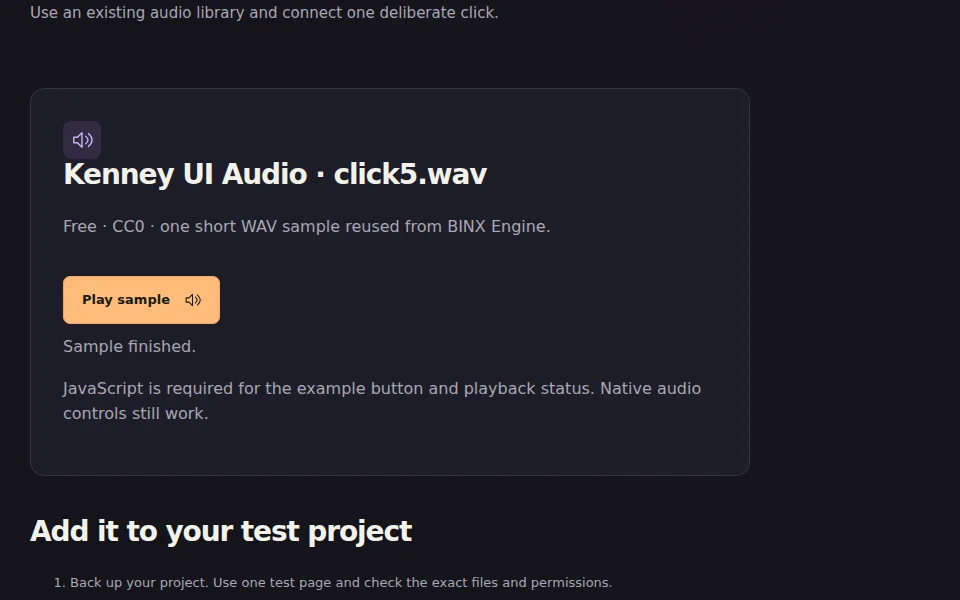
Real browser capture using the locally built bundle, not the earlier direct-script example. - STEP 5
Check failures before keeping it
Test a missing sound URL, silent startup, repeated clicks, touch and a browser without JavaScript. Keep your previous working project version until the small change passes. Audio policy and support vary; physical audibility and Safari/iOS are not certified by this Chromium test.
Check: A missing file reports an error instead of pretending to play. You can explain what you tested and what remains unknown.
Official instructions and original notices
esbuild: installation and bundling ↗
Howler 2.2.4 official source & instructions ↗
Retained Howler and esbuild MIT notices · Sample’s CC0 notice